designcoding
About Table of Contents Keywords Monthly Archive
Support designcoding!

#visualization

19 posts

Designcoding WordPress Theme

August 14, 2026

Designcoding is a lightweight, content-focused WordPress theme built around simplicity, speed, and readability. It uses a clean desktop layout with a responsive mobile version and does not require any plugins, page builders, external frameworks, or third-party services. The theme has been tested with LocalWP on a clean WordPress installation and works as intended. The theme includes several built-in content discovery features. Explore uses tags to help visitors discover related topics, while individual posts can automatically display up to five Related…

Rhinoceros Layout Tutorial

December 14, 2024

In Rhino, layouts are used to prepare drawings for printing or presentation. They provide a way to organize and display 2D views of your 3D model, such as top, front, side, and perspective views, in a way suitable for producing printed or published documents. In this short tutorial video, I show the basic usage of the Rhinoceros layout system. So, this Rhinoceros Layout Tutorial video is for beginner-level CAD users. Therefore, you can use it to create PDF posters and…

Fibonacci Portraits

December 27, 2023

“In the heart of a sunflower’s embrace, its seeds weave a poetic tale—a dance of two spirals, parastichies they’re called. One unfurls gracefully from the center in the hush of clockwise whispers, while its counterpart whispers secrets in the tender breaths of counterclockwise motion. A subtle ballet unfolds, where the number of these spirals gracefully mirrors the whispers of adjacent Fibonacci numbers, composing a delicate symphony in the sun-kissed fields.” says ChatGPT if I force it to be a little…

Rhino Viewport Colors

August 8, 2023

Recently I found this VB.net component in an old Grasshopper project. I am not sure if it is mine or not, but I wanted to share it with you. This code modifies Rhino viewport colors quickly without entering the Rhino options window. I frequently modify the viewport colors and grid settings to create renders or animations within Grasshopper. This is why, this component might be useful in making quick modifications to the screen colors. Here is the VB.net code inside…

More Swirly Flames

March 21, 2023

This is a return to the Swirly Flames tutorial I made in 2013 here. Since then, Photoshop changed a bit. There is no more Variations tool. Therefore, I had to use other tools such as Color Balance, Hue/Saturation, Inverse, etc. to achieve the same effect. It is still cool for me, personally, although we are in the age of AI-generated images now. It is not the visual result only, but the memories it carries until today. Nowadays, I am translating…

Digital Design Topics in Architecture

January 8, 2018

Scientific publications are expected to relate to all areas of science they sprawl. For this, the scientific publication is associated with several keywords that are thought to be related. For proper access to scientific publications in literature research, keyword assignment is as important as the publication title. This study aimed to map the usage patterns of the concepts related to the field of digital design research through keyword analysis. The questions that motivate the research, focus on which concepts are…

Circular Relationship Diagram

May 31, 2015

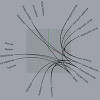
This is done because I needed to represent relationships between different factors and layers of a design process. Although this method of “Chord Diagrams” is a very common technique in information design, it became very hard to find an effective tool for generating those diagrams quickly. There seem to be a solution called “Circos” but however, even installing it on the computer became very boring for me. So I decided to make a Grasshopper definition that generates simple circular relationship diagrams….

Aligned Text in Grasshopper

January 7, 2014

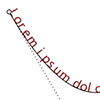
Currently, Rhinoceros does not offer the capability for an aligned text onto a curve, to the best of my knowledge. However, Grasshopper, with its latest version, provides a solution for such tasks by offering a range of text components. For my current project, I am studying an installation. It incorporates various typographic effects, and Grasshopper has become an invaluable tool in this regard. Nevertheless, it is important to note that Grasshopper’s native text components do not yet include a comprehensive…

Rhino Print Dialog

November 2, 2013

Here is a simple description of Rhinoceros’ Printing dialog. It is the same with version 4.0, nothing changed in layout and printing dialogs in 5.0. Significantly our Architectural Geometry classes should benefit from this explanation. Most of these options should be tested with a plotter (e.g. pencil widths) before final print-outs. Also, you may try creating a PDF file of your homework from this dialog.

Manage Rhino Viewport in Grasshopper

September 13, 2013

This simple vb.net component controls the Rhino viewport background without a need to enter its options panel. It is used to change the viewport background color and grid visibility quickly within Grasshopper. Here is the definition file: [GHX: 0.9.0056]. In order to be able to return to default settings, I put a “default” toggle. Just click on it to “false” state, then the Rhino background color can be changed by the B input. This component also handles the grid. However I…

1 2 »
  • Chapters

    • Algorithms
    • Discourses
    • Fabrications
    • Studios
  • Explore

    • All Keywords
    • Table of Contents
    • Monthly Archive
    • #sinan
    • #rammed-earth
    • #laser-cutting
    • #hyperbolic-paraboloid
    • #permaculture
    • #cnc-milling
    • #pvc-hose
    • #folding
    • #cube
    • #visualization
    • #revit
    • #delaunay-triangulation
    • #space-syntax
    • #tetrakaidecahedron
    • #truncated
    • #deleuze
    • #tetrahedron
    • #simulation
    • #eps-foam
    • #boolean
  • Search

  • Support designcoding!

  • Enjoying designcoding? Support me on Patreon to keep it growing. Thank you!

  • copyright 2026 designcoding.net | about | privacy policy | end user license agreement