
Reptile Skin Student Examples
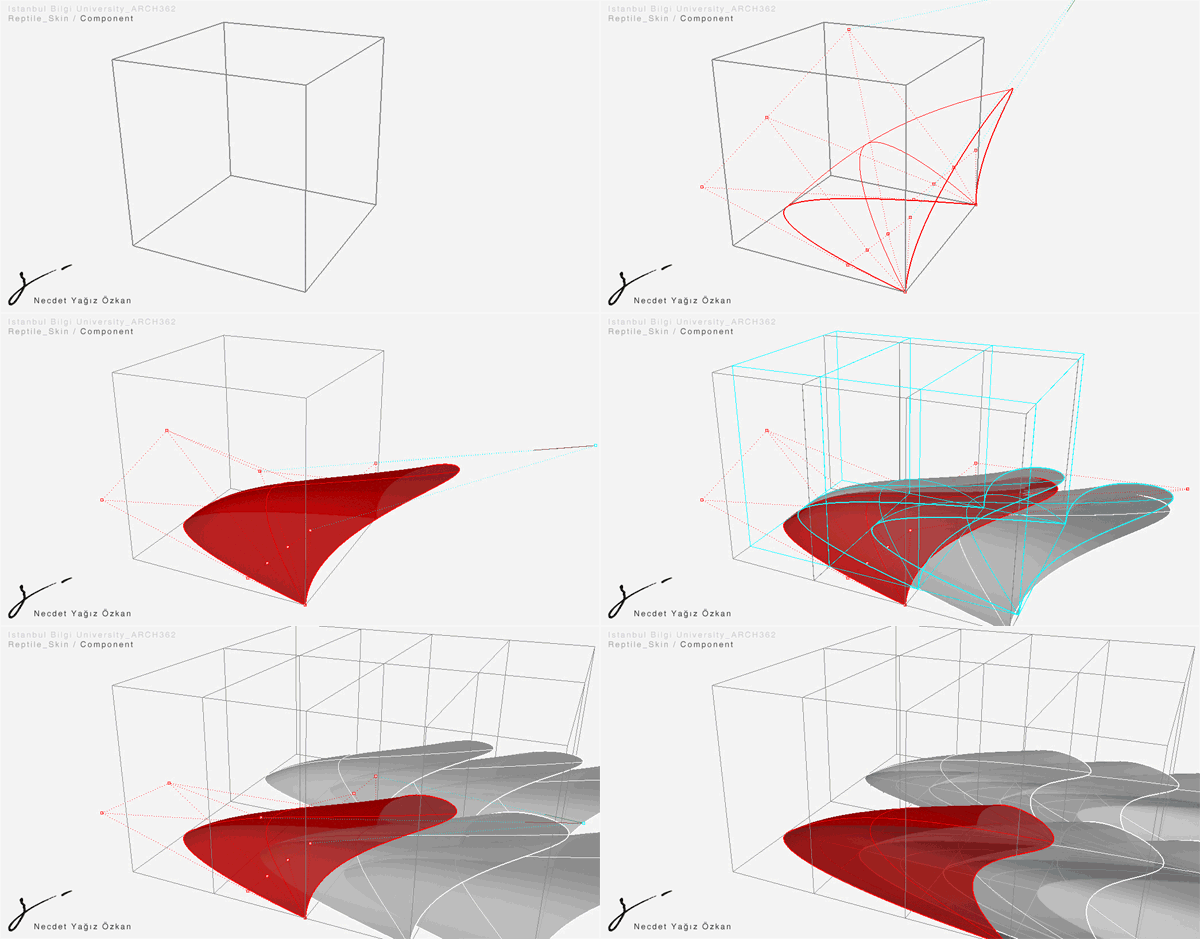
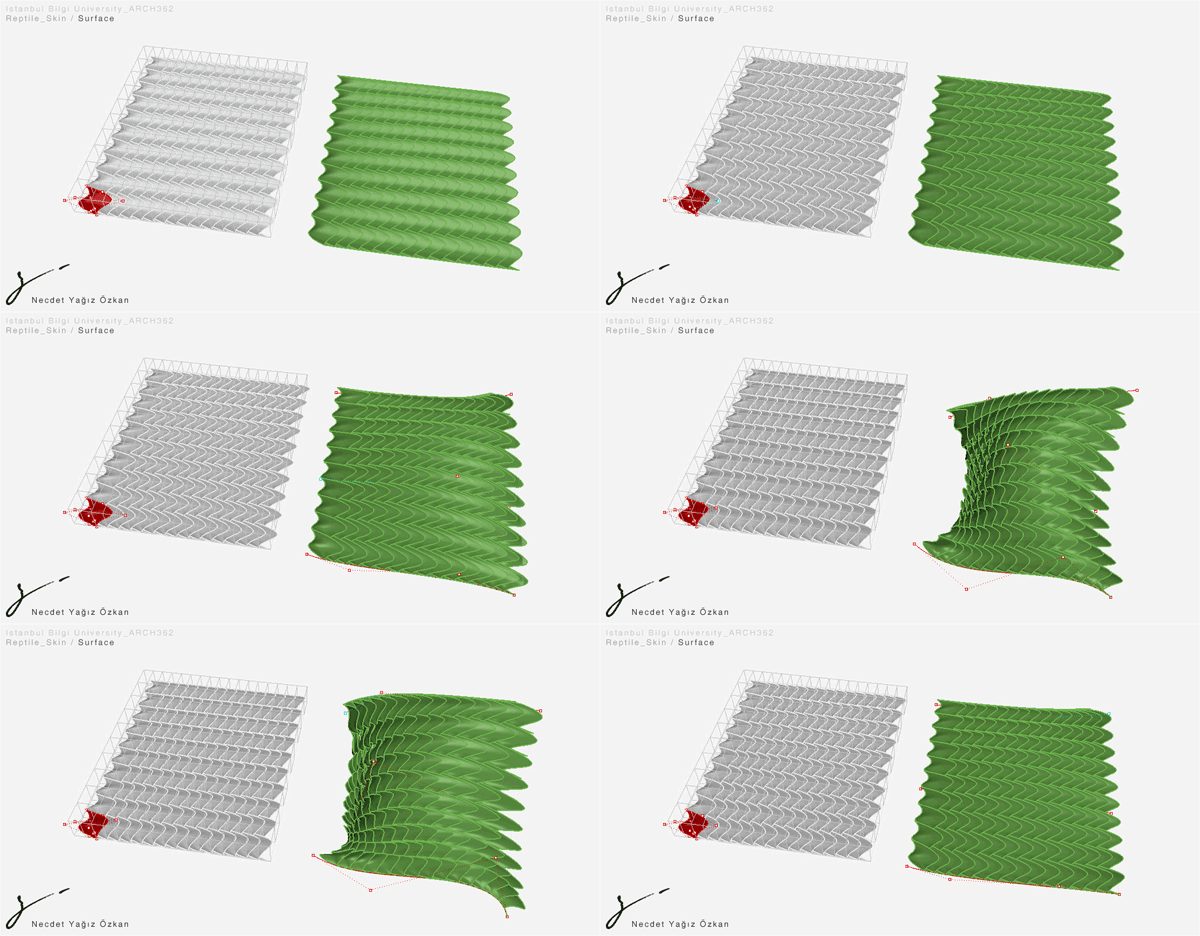
Here are some of the results of first assignment, “Reptile Skin”. Generally, we couldn’t manage to develop innovative solutions to the problem. But this became a good starting point for understanding the method of “skins of components” in contemporary digital design. Before going into any control over the flow of data, it’s hard to maintain associative geometries. We usually feel stuck within the capabilities of the single commands or procedures. That’s why, digital design deals with “processes” much more intensively than the formal outputs and develop tools and methods to control “the algorithmic process”, rather than to create nice geometries. Next week we’ll experiment on this subject by getting more into “the process”. First of the two animations show the geometric design and associative manipulation of surface components; and second animation shows the continuous adaptation onto a surface.
Yağız Özkan’s work:
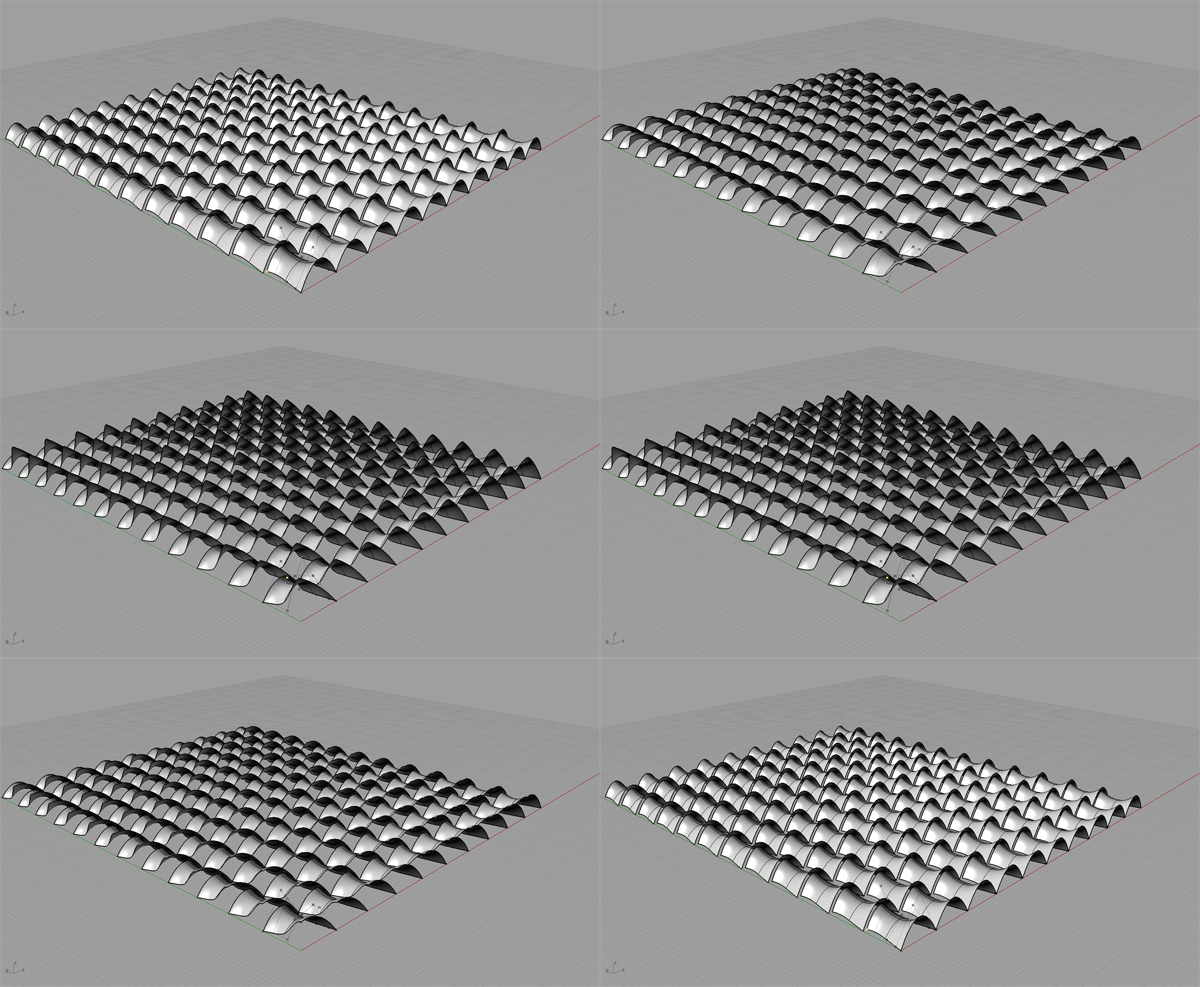
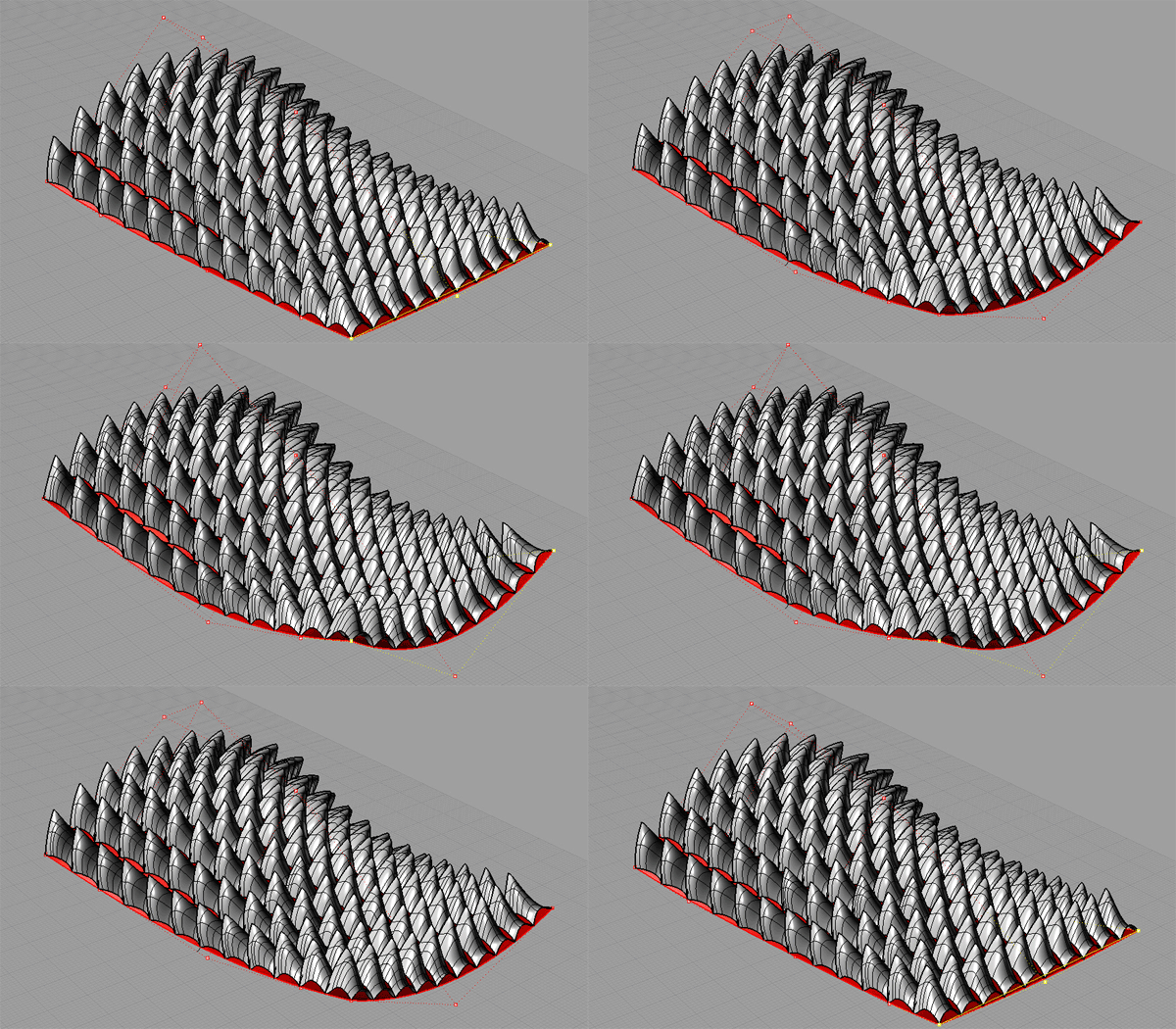
Yunus Emre Dokumacıoğlu’s work:
Yeşim Yıkılmaz has experienced various formations;
Cite this post
Related Posts
Tensile Fabric with Kangaroo
September 25, 2026
How much work we did last year for first-year architectural education! The tensile fabric study we carried out using Grasshopper Kangaroo in “Design Computing”, a first-year course I coordinated alongside my colleague Serkan Uysal, served as a baseline for the material research addressed in the Basic Design studio at that time. Such geometric optimizations in Kangaroo are no longer surprising or novel to anyone. However, experiencing these tools and possibilities in architectural education in the very first year offers a…
Slope Map on Terrains
August 18, 2026
I previously shared the Grasshopper definition for terrain generation that we used in last year’s studio midterm. One of the goals of this project was to take the first step toward developing students’ skills in understanding, processing, and utilizing terrain data as a design input. To support this objective, we provided them with small supplementary tools. One of these tools was the slope map. As you can see, this is quite a simple Grasshopper definition. It computes the slope of…
Terrain Generator
August 13, 2026
Last year, for the midterm assignment in our first-year basic design studio, we gave our students a range of different, randomly generated contexts to work with. For this purpose, I developed a small Grasshopper tool that makes the graph of a function look as much like a terrain model as possible. This tool is not really a procedural terrain generator. I would genuinely like to build one, someday. What we have here is simply a function surface. At the inputs,…
Design Mathematics Student Works
May 22, 2019
Below are some of the student works from the 2018 course: Design Mathematics. The final project of the course was about experimenting the designerly creativity. This included utilizing the mathematical concepts and objects studied throughout the semester. This was a rather open-ended homework question. But in the following years, I am not planning to repeat it. Because it becomes difficult to assess the learning outcome from open-ended homework within such a strict course content. Ayşenur Gençsoy experimented with the tool…
Parametric Modeling Class: Subdivided Entities
March 14, 2012
Today, we’ve studied fundamentals of component-based design methods. Using curves and surfaces as starting points, we’ve experienced ways of translating those entities via design criteria based on our purposes. First, a curve is used to construct a leaf structure. We’ve experienced dispatching data lists and combining them back together. Subdividing curves into points created further entities such as vectors and planes. We used those entities as inputs of regular drawing and modeling commands such as rectangles, or planar surfaces. This…