
Wandering Simulator
In 1986, Craig Reynolds developed an algorithm aiming to model the flocking behavior of birds, which remains a cult method used in flock simulations today. In my initial study, the bird-oids (boids) have no rules or limitations, just chilling randomly on the screen. I call this initial version Wandering Simulator. There are several reasons why this fundamental simulation is difficult in Grasshopper and Python, our parametric design interface. In Grasshopper (data flow modeling), pushing the back doors a bit is necessary to run an interactive and flowing simulation that needs loops. Firstly, I have to ensure that the GhPython component updates certain variables with a trigger inside a loop. This is something painful in a dataflow environment.
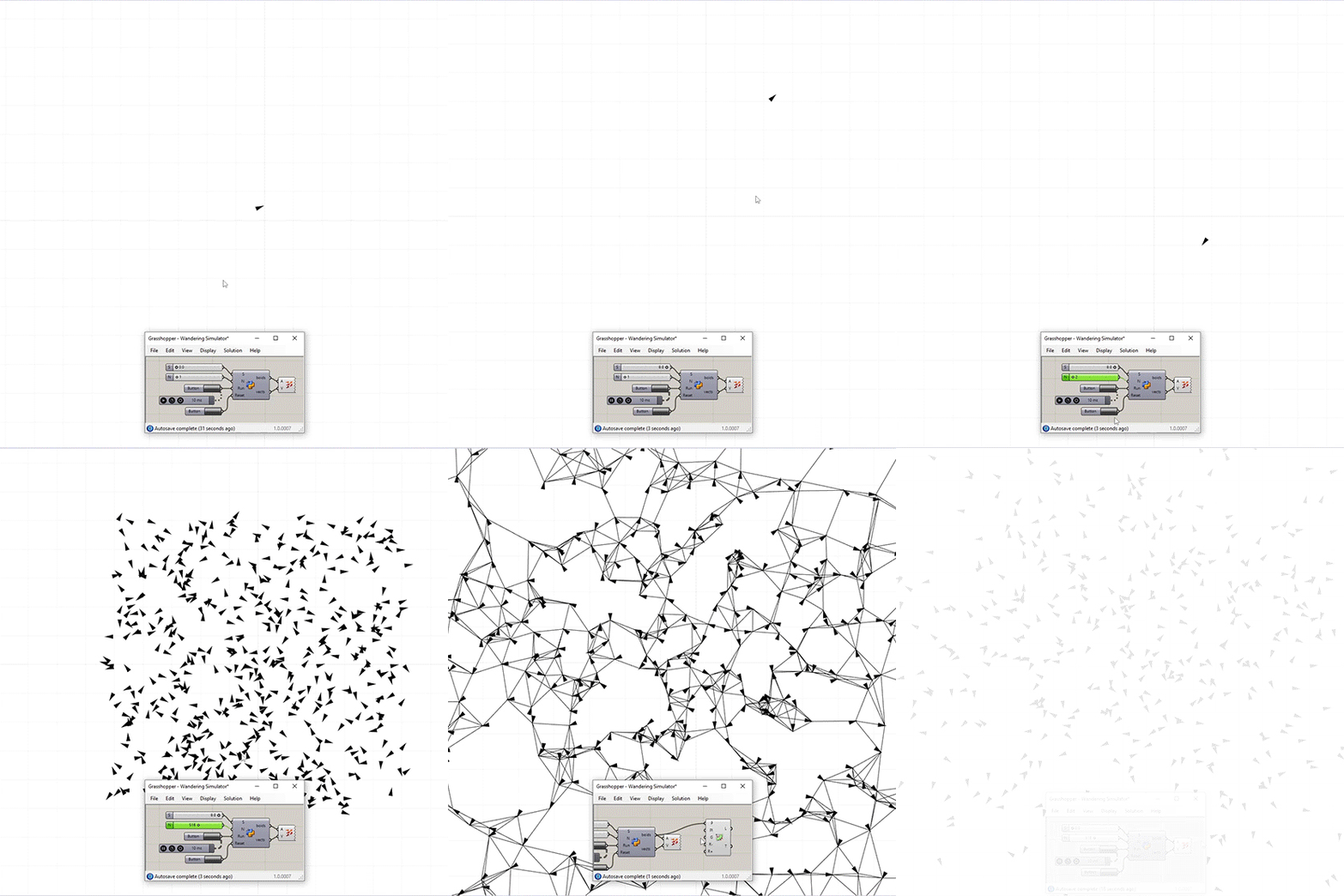
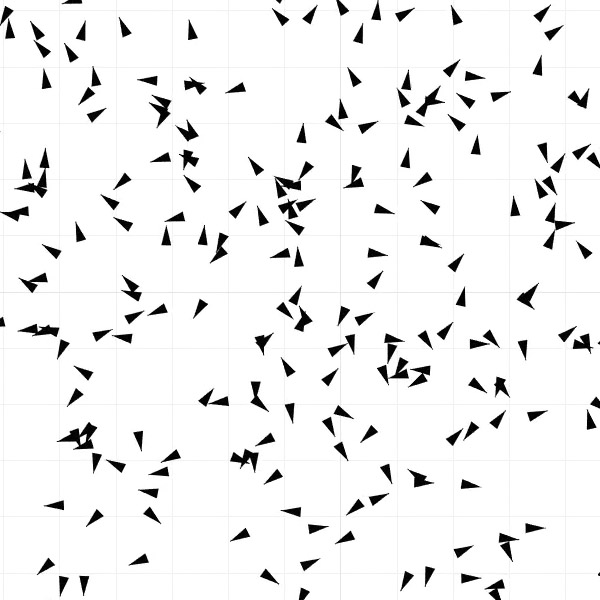
I have not yet been able to reach Reynolds’ algorithm or another intelligent flocking algorithm. However, this is a beginning and I think it’s promising. With only 25 lines of code, I managed to produce small creatures moving on the screen. In the future, I will add functions for detecting and reacting to each other and the obstacles. This can evolve into many interesting studies. This Grasshopper definition includes the first version of my flocking simulation study inside Rhinoceros CAD. It uses native Grasshopper components and one GhPython component. So, no add-ons are required to use it.
import Rhino
import rhinoscriptsyntax as rs
from random import *
class Boid:
	def __init__(self, pos, dir):
		self.obj = Rhino.Geometry.Point3d(pos)
		self.dir = dir
	def update(self):
		self.dir.Rotate((random() - 0.5) / 10, rs.CreateVector(0, 0, 1))
		rs.MoveObject(self.obj, self.dir / (10 - S))
if "ready" not in globals() or Reset:
	ready = True
	flock = []
	output = []
	vectors = []
	for i in range(N):
		boid = Boid(
			rs.CreateVector((random() - 0.5) * 100, (random() - 0.5) * 100, 0),
			rs.CreateVector((random() - 0.5), (random() - 0.5), 0),
		)
		flock.append(boid)
		output.append(boid.obj)
		vectors.append(boid.dir)
if ready and Run:
	for boid in flock:
		boid.update()
boids = output
vects = vectors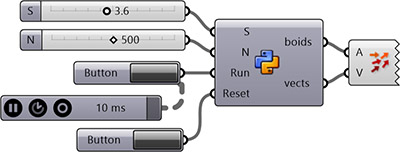
Cite this post
Related Posts
Flow Map on Terrains
September 11, 2026
We previously looked at the terrain generator script we used in midterm projects with first-year architecture students over here. Later on, we added a few analysis modules to this tool. You might remember the slope analysis tool from this link. Today’s topic is another type of analysis: flow. The idea for this code wasn’t actually mine; I developed it by looking at an existing script based on Serkan Uysal’s suggestion. Unfortunately, I don’t know who originally wrote it. Keeping track…
Differential Growth
June 16, 2025
Differential growth is a process where different parts of a structure grow at different rates, leading to complex forms. After watching this, I decided to try it in Grasshopper. Here, differential growth mimics this behavior by applying rules such as Repulsion to avoid crowding or overlapping, Cohesion to keep parts connected or within a range, and Insertion to add new elements when a part stretches too far. The algorithm I present here simulates a differential growth process starting from a…
Damped Harmonic Motion
October 7, 2026
Have you ever thought about making a damped pendulum in Grasshopper? I have no idea why, but I did. I just decided to transfer a Python snippet I found online into a Grasshopper definition. Here, the Initial Angle (Radians) Number slider sets the initial angle to any value from 0 to Pi. The letter G represents the acceleration due to gravity (approximately 9.81 m/s2). This is the primary force pulling the pendulum downward. As you know, pendulums wouldn’t swing without…
Solar Position
May 6, 2012
Experimenting with various plug-ins for solar calculations, I found Daniel Da Rocha’s robust implementation of the solar position algorithm in vb.net. It calculates the solar angle of any place and time. Although it’s written in the old vb.net component, it still works great. I’m trying to create a fast and easy workflow to optimize Grasshopper models based on solar directions. This is done by projecting faces to the solar planes and checking how much of their area is included in…
Wind Tunnel in Vasari
April 13, 2012
When I was a student, 3D modeling and rendering on the computer was an advanced skill. I only managed to create my first rendering in the 4th-year project. Then, it became a special talent for designers, even opening a freelance business. However, that came to an end when that technology expanded, reaching everybody. Ten years ago, different ecological analysis methods on geometric designs were also another specialized field that everybody doesn’t have access to. Now it seems those technical skills…