
Image Sampler Basics
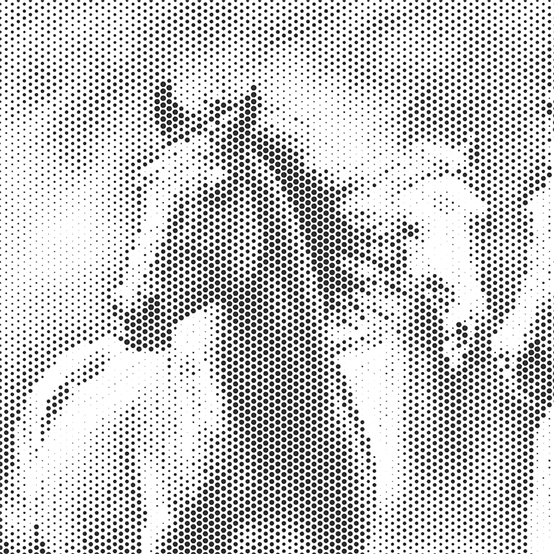
The Image Sampler has always been a very effective Grasshopper component. Once again, I had the opportunity to use this component for a professional job. As you can see, with the help of a straightforward and short script, we can create a relief of an image to fit the desired panel dimensions on the screen. We can process this onto a suitable material using a CNC mill, laser cutter, or water jet. For the beginners, here are the image sampler basics again in Grasshopper:
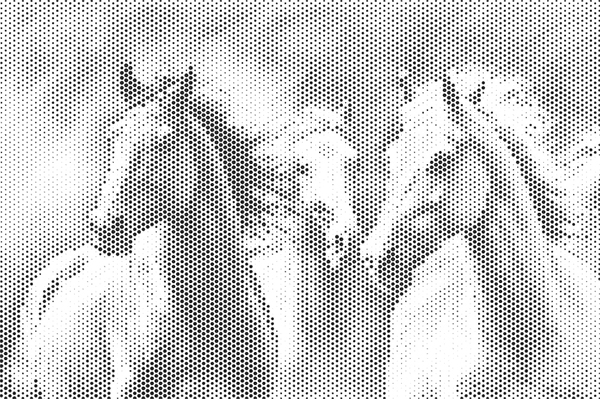
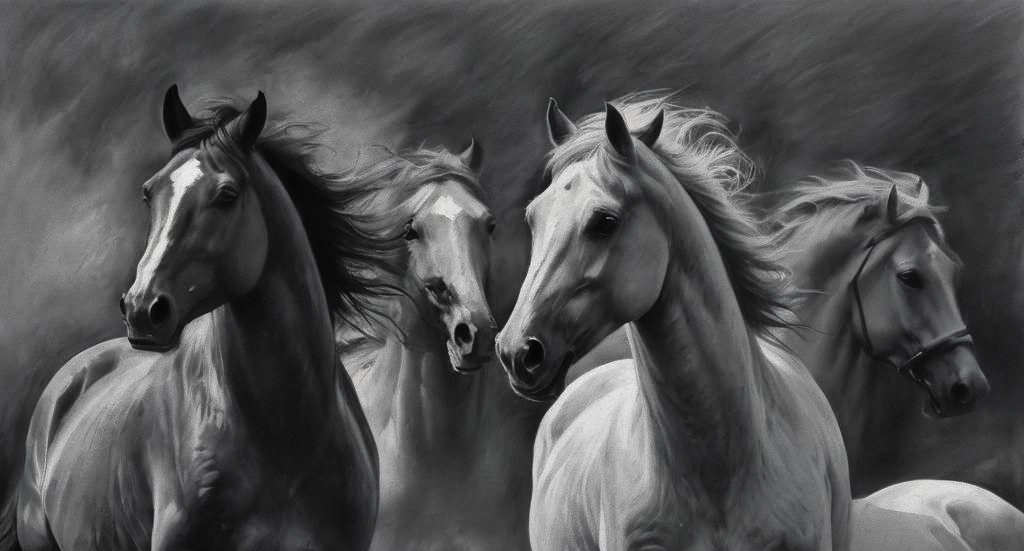
The script first creates a hexagonal grid base. We ensure that the proportions of the grid are close to the proportions of the image file we will use. Then, using the Image Sampler component, we import the image into Grasshopper. We obtain an output based on the black-and-white balance of each pixel. Since the image I used will be processed onto a panel with dimensions of 65×35, I adjusted my image to these proportions in Photoshop beforehand. In the Image Sampler component, I set the X and Y domain sections to 0 to 65 and 0 to 35. Thus, I included the entire image in the calculation. The data I obtained gave the black-and-white tone that should be at the points of the hexagonal grid as a value between 0 and 1. Using this value, I determined the radii of the circles on the grid.
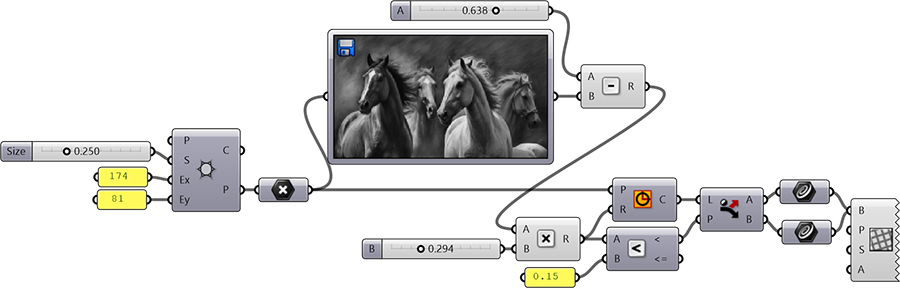
You can rebuild the definition by looking at the diagram above. You can also visit to see an older version of the code here.
Cite this post
Related Posts
The Cogwheel
May 23, 2014
Here is another student project from the three-day workshop we conducted together with Fulya Akipek and Mehmet Ali Altın. Briefly, the idea was to develop a system of cogwheels that spin together to animate an entire pattern. It was about to develop a kinetic system with a simple Arduino-based setup, probably with one servo and a motion sensor. The integration of the cogwheels system and the underlying pattern was interesting research. Although it seemed very simple for a servo setup,…
Facade Study with Grasshopper
September 12, 2013
This is a small project of a facade study in Grasshopper, designed by KAF Architecture, and built in 2013 at Altunizade, İstanbul. KAF Architecture designed the facade with varying holes with an image of a forest. The image was supposed to generate the holes. At first, the office tried to do this manually, placing circular holes on the image in AutoCAD. However, after several hours, they thought that they needed some kind of an algorithm to accomplish this task. Therefore,…
Lace Experiments
September 15, 2026
For a research project with Avşar Gürpınar in 2024, we studied lace patterns. During this process, I had the opportunity to try out two Grasshopper plugins: Parakeet and Clipper. When combined, they allow you to obtain laser-cutting patterns. Parakeet is a very good plugin that generates tessellations. This was something I always dreamed of developing back in my youth. 2-Uniform Tiling In this design, I used the Parakeet component named 2-Uniform Tiling. In geometry and tiling theory, a 2-uniform tiling…
String Art in Rhino Python
June 19, 2025
String art is a cool art technique that combines geometry and aesthetics to recreate images using lines between pins. Here is a good reference to start studying it. In this post, I explored a custom Rhino Python script designed for Rhinoceros 7 and 8. It transforms a grayscale image into a dense web of threads. The algorithm analyzes the darkest areas of the image and connects pins in a circular layout to form compositions. The script begins by converting a…
ASCII Art in Grasshopper
August 24, 2024
ASCII art is a graphic design technique that uses characters from the ASCII (American Standard Code for Information Interchange) set to create images, symbols, and designs. This form of art involves arranging text characters to form a visual representation of objects, scenes, or abstract patterns. I first encountered this art form in the 90s through readme text files and computer games. Years later, attempting to automate it in Grasshopper was a lot of fun. My initial goal was to calculate…