
Excel Outputs in Grasshopper
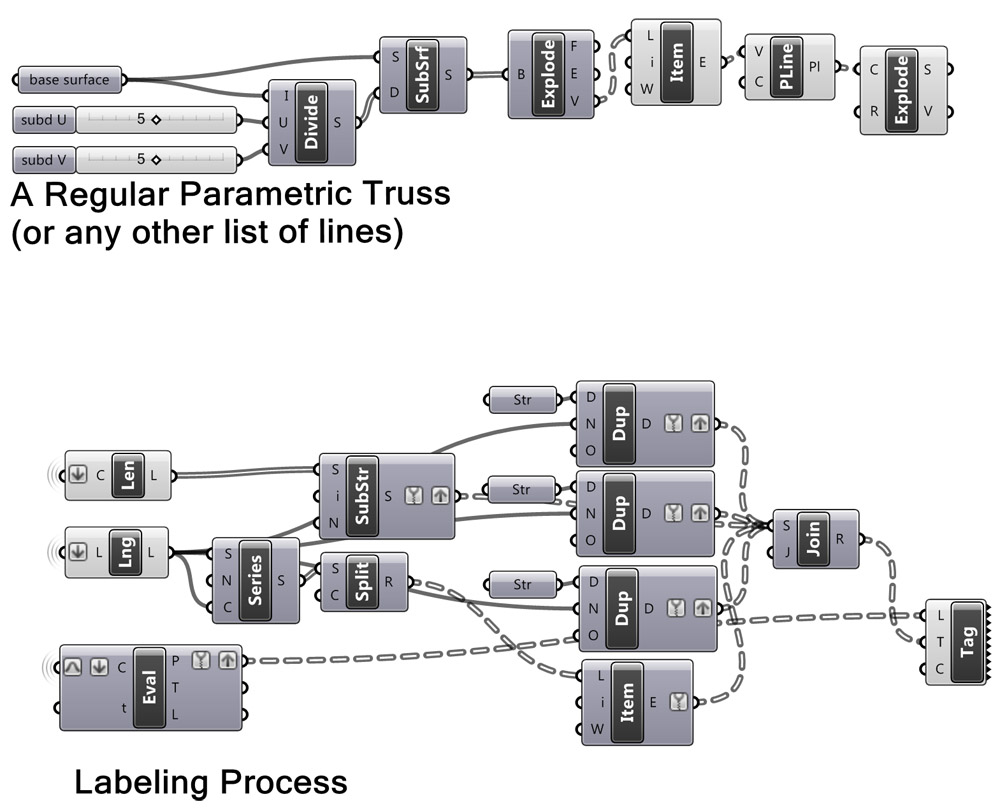
Basic Design Studio at Bilgi University is coming to semester’s big final. Nowadays, students are trying to build their final projects. Oğuz and Gupse’s group has a truss structure with nearly 800 segments. They attempt to build it by taking length values from their own Rhino model by hand. And this itself had brought a difficulty, because one person of the group should be assigned only to do this measurement, reducing their workforce. They asked me if there is an easier way (of course they know there IS an easy way). This technical tip emerged from there. However I ended up with experimenting string operations in Grasshopper. In order to join strings I had to duplicate a single string for hundreds of times, that meant spending CPU resources for me. Maybe after some point, it is irrelevant to manipulate text in Grasshopper.
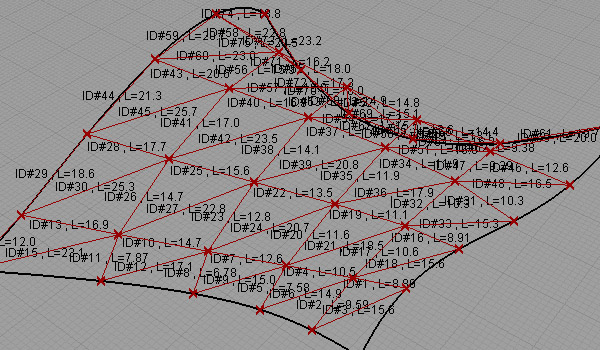
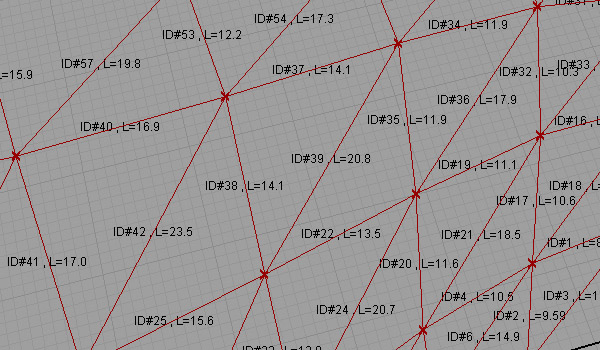
After the labeling is finished, you may put it into Excel as shown below. Just put the data into a panel component, right-click and select “Copy data only” and then, paste it into Excel. After that, you may create additional columns by using “Text to Columns” utility in Excel.

Cite this post
Related Posts
Clustering
January 2, 2013
The famous “Deutsch limit” says, “you cannot have more than -say a hundred- components in a visual programming environment, that is why you cannot write an operating system with it.”; so it says, the perceptual and pedagogical advantages of visual programming are limited according to the size of your screen. However, there are two main oppositions to this argument. One of them says “textual programming environments have the same limitation, as you cannot have more than x lines of code…
Smooth Sketch Data Recorder
February 29, 2012
Here is a funny sketching system for the “SPEC” homework. Four (or more) points are created using 2d sliders (MD slider) and decomposed these points into x,y and z numbers. Then, they are re-populated in 3d points by changing their plane. X coordinates are connected into Y, and Y coordinates are connected to Z’s. Tricky part comes then, the X number is defined by a serie of numbers started from 0 to 30 by 1. After that, polylines are constructed using…
Data Recorder and Surfaces
February 7, 2012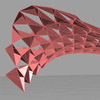
In this experiment, I’m trying to use data recorder to change components on a surface. The component part is a standart triangular construction, but the attractor points are defined by a 2D slider that is connected to a data recorder. Data recorder remembers last 15 points, while you move the 2d slider, last 15 points are projected on the base surface. This creates an illusion as if a “snake” game on a surface. Definition then uses the closes point distance…
Data Domains in Grasshopper
March 24, 2024
In this short tutorial, I am showing the essentials of data domains in Grasshopper. A domain is a data type in Grasshopper that represents a portion of the 1d or 2d number space. This requires a starting and ending point in those spaces. In 1d, these points are two numbers. Then, the domain represents all the numbers between them. In 2d, a data domain is represented by two coordinates (u, v). This presentation illustrates this concept with the area defined…
Data Structures in Grasshopper
June 8, 2023
Data structures and data matching principles are important to be able to design with Grasshopper. In this tutorial, I show data matching procedures with arithmetic operations. Then I repeat them in the production of geometric objects. I think it should be easier to use this programming language once the students understand the basic principles. Therefore it would be easier to design with it. Sometimes the design process of these diagrams proceeds from left to right (by induction) but sometimes it…