
Leveling in Dataflow
This is a great book, explaining very familiar concepts of dataflow diagrams for designers firsthand. Leveling is an interesting chapter there, I’m not sure if it completely fits with the use of “Clusters” in Grasshopper but it is obvious that the complex systems should be well organized not only to be perceptually “better” ones but also to develop a way to use parts of definitions again and again in different situations.
…How do you actually DO the leveling of DFDs? The discussion thus far has been misleading in a rather subtle way: while it is true that the DFDs should be presented to a user audience in a top-down fashion, it is not necessarily true that the systems analyst should develop the DFDs in a top-down fashion. The top-down approach is intuitively very appealing: one can imagine beginning with the context diagram, and then developing Figure 0, and then methodically working down to the lower levels of detail.
Generally, “spaghetti” Grasshopper diagrams are more appealing for architects and designers maybe because they somehow deliver the message that the designer is so “smart” that they can handle this complex diagram. They are even parts of the architectural and design posters purely as graphics, without carrying any clue on what is going on with the algorithm there. Anyway, maybe I should also force myself more on the use of clusters in Grasshopper. Perhaps this is a bit too harsh of a judgment, but it’s an honest observation of how we sometimes treat our tools as visual trophies.
Cite this post
Related Posts
30 years old Grasshopper
October 22, 2012
Nowadays I plan to enter Rhinoscript, Python, and DesignScript back again. However, I can’t leave Grasshopper3D without mentioning the “cognitive shift” it pioneered in the design computing community. Here is a phrase from a famous special issue of “Computer” Journal, published in 1982 with Tilak Agerwala and Arvind’s editorials; Data flow languages form a subclass of the languages which are based primarily upon function application (i.e., applicative languages). By data flow language we mean any applicative language based entirely upon…
The DataFlow Approach
October 18, 2012In 1982, it has been more than 15 years since the dataflow approach to algorithm designing are discussed in computer science. Computer journal publishes a special issue with the foreword of Tilak Agerwala; he says; …We have discussed two characteristics of the von Neumann model of computation: global updatable memory and a single program counter. It will become clear shortly that the data flow model has neither of these. First, the data flow model deals only with values and not with names of value containers…
Designing with Grasshopper
May 2, 2012
Today, there are pedagogical and practical challenges on the use of algorithms in architectural design, as computer puts not only a physical but also a cognitive layer between designer and the subject. Formulation of this cognitive layer is becoming important, regarding which model of computing is used to connect designer with the subject. Is it a “designerly” search, or design exploration in a visual programming environment? As most of the researchers admit that visual programming environments are very effective in generating variations,…
Data Domains in Grasshopper
March 24, 2024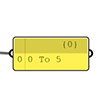
In this short tutorial, I am showing the essentials of data domains in Grasshopper. A domain is a data type in Grasshopper that represents a portion of the 1d or 2d number space. This requires a starting and ending point in those spaces. In 1d, these points are two numbers. Then, the domain represents all the numbers between them. In 2d, a data domain is represented by two coordinates (u, v). This presentation illustrates this concept with the area defined…
Data Structures in Grasshopper
June 8, 2023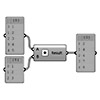
Data structures and data matching principles are important to be able to design with Grasshopper. In this tutorial, I show data matching procedures with arithmetic operations. Then I repeat them in the production of geometric objects. I think it should be easier to use this programming language once the students understand the basic principles. Therefore it would be easier to design with it. Sometimes the design process of these diagrams proceeds from left to right (by induction) but sometimes it…