
Interface Continued: Grasshopper for Beginners (5)
In this 5th episode of Grasshopper for Beginners, the interface continued by exploring the interface of Grasshopper. With the help of these two methods (tabs and search box), we can find the components. We can select them with the left click and place them on the canvas with the left click again. Now take random components and try to place them on the canvas with both methods. Therefore, components with different functions are the building blocks of GH definitions. The basic usage of GH is to create diagrams that we can read from left to right. Thus, we can do this by placing the components on the canvas and establishing the relationships (links) between them. A typical GH definition looks like the one below.

In the figure above, we can see some components and the links that associate them with each other. Some of the connections are in the form of thin solid lines, and some of them are thicker dashed lines. Each one originates from the right side of one component and connects to the left side of another component. Links always come from letter-like symbols on components. Sometimes a component has more than one connection attached. Moreover, some components are not like the others, there are ruler-like ones, yellow colored ones.
Did it seem complicated? Of course, it will look complicated. Maybe you just tried to connect the components you randomly placed on the canvas, but you just had no luck? It is very normal not to immediately understand which component to put where, where to connect it, and moreover, why we are doing all this. As you gradually gain experience, everything will start to make more sense.
Today, the interface continued. We will move on with the first example.
Cite this post
Related Posts
Rhino+Gh: Grasshopper for Beginners (7)
February 2, 2023
We continue with the Grasshopper for Beginners series by explaining Rhino+Gh workflow principles. What does GH add to Rhino‘s standard drawing and modeling functions? To put the question differently, what does GH do that conventional modeling programs, such as Rhino, can’t? What is the difference and relationship between Rhino+Gh? Let’s take an example to answer these questions. Our example is about parametrically describing a surface model and deriving its alternatives. First, we will try to create a surface using only…
Hello World! Grasshopper for Beginners (6)
January 17, 2023Let’s continue the Grasshopper for Beginners series. We start with the traditional “Hello World!” displayed on the Rhino screen: Placing the Components In most CAD programs, the text creation function, which is the equivalent of the Text command, is performed by a component called Text Tag (Tag) in GH. The Text Tag (Tag) component is in the Dimension panel under the Display tab. If you’re not comfortable with tabs and panels yet, you can revisit this section from the beginning….
Data Domains in Grasshopper
March 24, 2024
In this short tutorial, I am showing the essentials of data domains in Grasshopper. A domain is a data type in Grasshopper that represents a portion of the 1d or 2d number space. This requires a starting and ending point in those spaces. In 1d, these points are two numbers. Then, the domain represents all the numbers between them. In 2d, a data domain is represented by two coordinates (u, v). This presentation illustrates this concept with the area defined…
Coding the Dodecahedron
March 7, 2024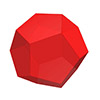
Here is a method for coding the dodecahedron and all its irregular variants in Grasshopper as quickly as possible. I utilized the golden ratio rectangles, usually used to construct the sister polyhedron, the icosahedron. However, the magic component of the Grasshopper, the Faceted Dome rescued me again to generate the dual of it, the dodecahedron. This is a special platonic solid, which has 12 regular pentagonal faces. There are several techniques that I generally prefer to use in Grasshopper. You…
Interface Continued: Grasshopper for Beginners (4)
December 13, 2022In this fourth episode of Grasshopper for Beginners, the explanation of the graphical user interface continued. We call the data flow diagrams definitions. GH definitions are rendered on a large blank screen area called canvas. We can zoom in and out (zoom) the canvas with the middle mouse wheel. Or pan sideways by holding down the right mouse button. Tabs and panels are menus where all the components of the GH are grouped and placed. Left-clicking on the tabs displays…