
Drawing a Basis Spline with Cubic Bézier Spans
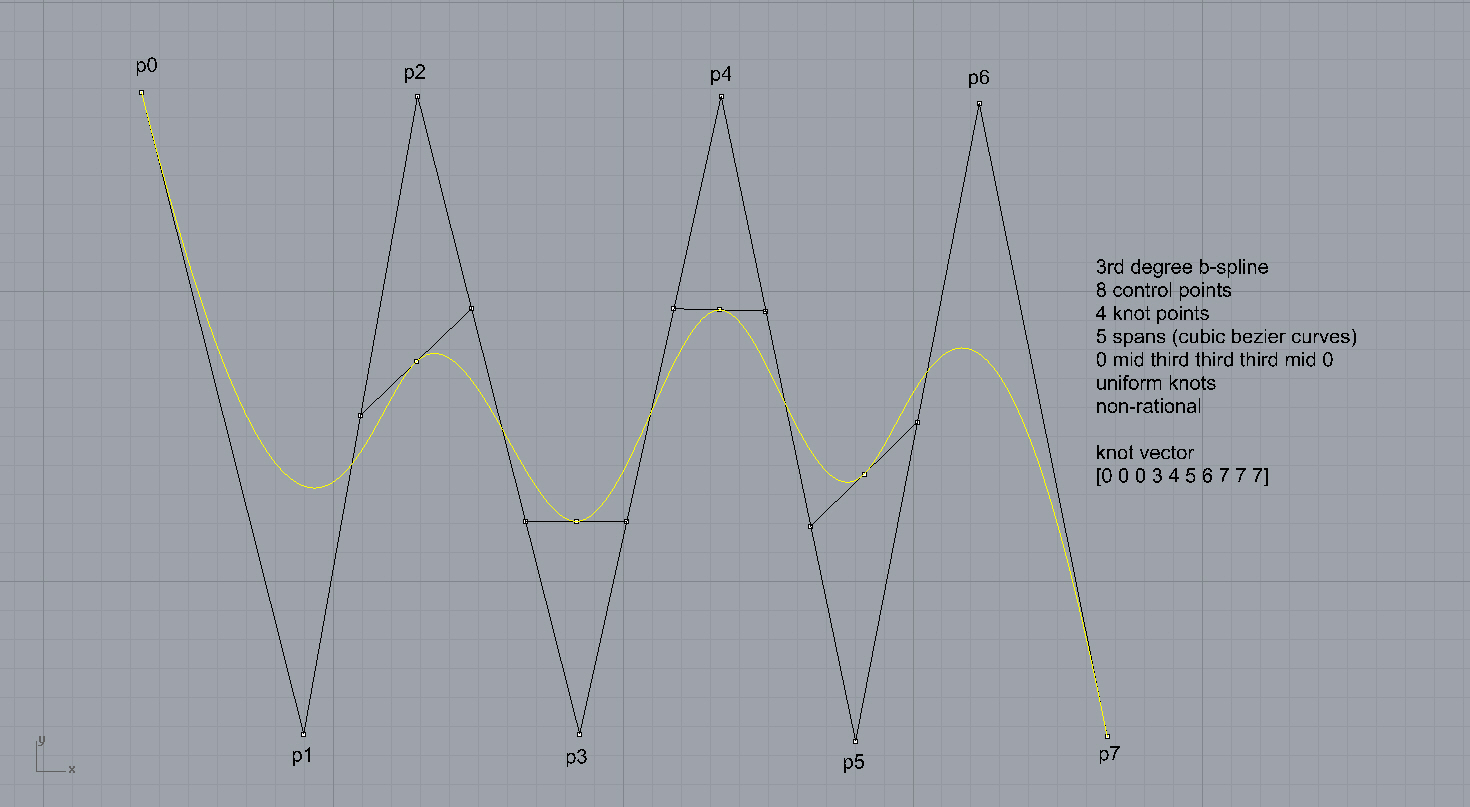
I realized this method of constructing basis splines from given control points while searching for a way to teach students about basis splines. I couldn’t find an easy and visual method to create clamped basis splines by connecting simple cubic Bézier spans. It is a tough job and requires lots of complex equations. However, I suddenly realized that there is a special way of doing that. So I decided to share this with the people searching for an easy way just like me. This method can be used to locate the knots on a basis spline, thus finding the number of Bézier spans, calculating the clamped endpoints, and finding the control points of those Bézier spans. This works with standard basis splines which are uniform and non-rational. Below is the step-by-step explanation of this method;
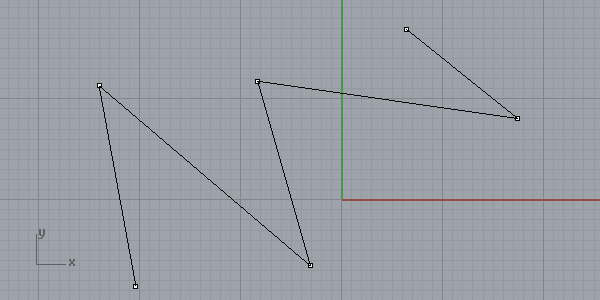
First, place at least 5 control points to create a basis spline of degree 3 with one knot and two Bézier spans. Connect these control points with lines:
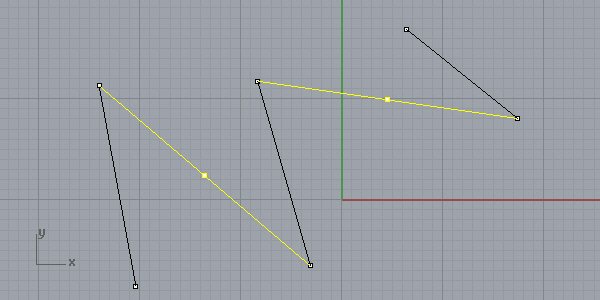
Now, skip one edge and put a point on the midpoint of the next edge, starting from both ends:
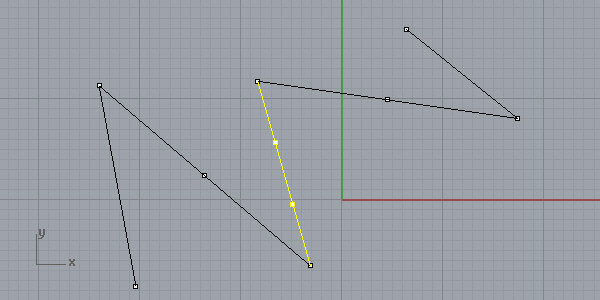
Finally, divide all remaining edges by 1/3. In my case, there is only one edge left, but it could be any number of edges:
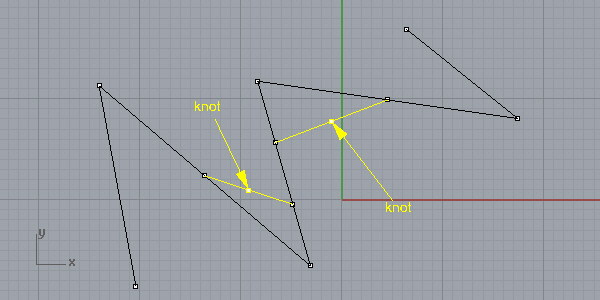
Connect those points as shown below. Midpoints of those edges will give you the “knots” of the basis spline:
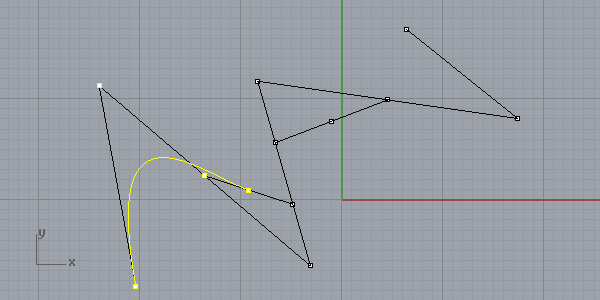
Now, the magic happens; if you draw a degree 3 NURBS span with the first points, this will be the first span of the basis spline:
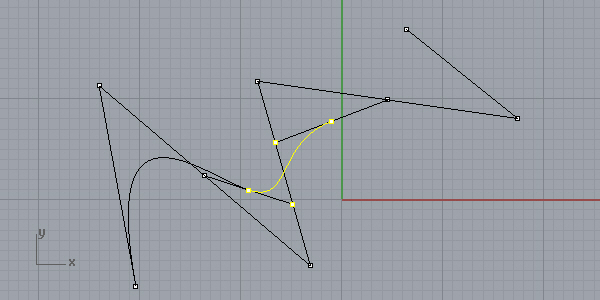
The same thing applies to other spans when you combine the points four by four. Note that we are skipping the mid-control points and choosing the division points and knots:
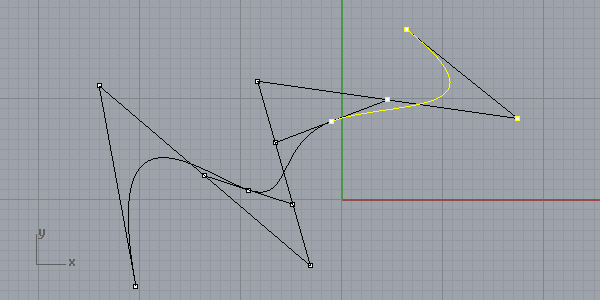
And here is the third and last span of mine. You can do this with any number of control points:
So what? Yes, it looks easy but believes me, it is not that easy to draw a basis spline with multiple control points. If you remember the Python code of the last post, I explained a method to create single Bezier curves by using simple parametric evaluations. Now, you can apply that code in any number of control points, because here, we are finding the control points of all Bezier spans. After a week-long research, I discovered this method to draw multi-control point basis splines, however, didn’t apply the Bezier span code here. Of course, this is probably not my discovery but a 500-year-old math person should have defined it. Anyway, I couldn’t find that easy explanation on the internet and had to find it myself.
Cite this post
Related Posts
B-Spline Decomposition
February 6, 2024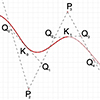
This is a short video tutorial on the B-Spline decomposition I studied earlier here. This tutorial demonstrates how to decompose a B-Spline curve into Bezier curves using Rhino. Despite the original Bezier-de Casteljau algorithm requiring degree+1 control points, Rhino allows drawing a degree-3 curve with any number of control points. By examining knot points and dividing segments appropriately, the B-Spline curve can be manually subdivided into Bezier curves. This involves placing control points, dividing segments, and connecting points in a…
B-Spline Construction
January 25, 2024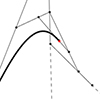
I have been studying the Bezier-De Casteljau algorithm for several years. Last week, I finally managed to understand and implement B-Spline Construction in Rhino and Grasshopper Python code, using the Cox-De Boor algorithm. This algorithm calculates the effect of control points on a B-Spline with many control points. After this, I am not limited to the degree+1 control points. This animation shows both algorithms working together. This Rhino Python code in a Grasshopper definition can handle three tasks. The first…
Parametric point on a Bezier curve
February 1, 2024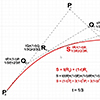
In this short tutorial, I am going to show you how to locate a parametric point on a Bezier curve. This will be a third-degree cubic Bezier curve. So, I start by placing four control points. I name these points from P0 to P3. Then, I connect them by a polyline in order. I explode the polyline into the segments. The parameter of my point must be a number between 0 and 1. I will divide the segments, so I…
Compass only Construction of Bézier Curves
September 2, 2021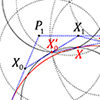
This is a new paper published in Nexus Network Journal. I tried to implement euclidean constructions by compass in the approximation of famous parametric curves; Bézier curves, and B-Splines. Then, I created the algorithms to calculate the number of steps on a compass-only construction of Bézier curves. I developed a simple Python script to simulate the geometric constructions. However, I have been studying this topic for nearly four years. In the future, I wish that it would be a good…
Common-action Gardens #2
January 8, 2018
It has been nearly 2 years since we designed and produced this garden. Similar to the first version, Common-action Gardens #2 is injected in formal park layouts. We build it for recreation as garden structures with an aim to support the “preserve, sustain, and share” idea. Thus, we expect to bring people together while producing. These gardens organize sustainable models for communal living by integrating raised beds, planting holes, water bowls, compost holes, seedboxes, tool pots, niches for animals, and…