
History: Grasshopper for Beginners (2)
We continue the Grasshopper for Beginners (2) series with the data flow programming concept. Control flow diagrams we use in traditional programming languages control the sequence of executed commands. In data flow diagrams, the focus is not on the order of commands but on how the data progresses.
In the previous example, it doesn’t matter whether the Circle and Polyline command runs first. As a result, both are prerequisites for Extrude. Extrude command will not be executed until both are completed. Therefore, this perspective makes it possible to create real-time and dynamic models. They don’t need the sequence required by languages such as Rhinoscript, Maxscript, or even a “Run” command. In the data flow modeling process we code with the help of diagrams and generate alternatives rapidly by playing with the data. Moreover, we can investigate different geometric relationships by making changes in the commands and links that appear on the diagram. In addition, we can develop a relational model which is modifiable. For this reason, data flow programming is becoming popular as a design method beyond just a modeling and representation method for designers.
There are also cases where data flow diagrams are disadvantageous and weak compared to control flow. After all, learning GH also involves understanding these limits and looking for ways to transcend them. Throughout this series, we will be learning about these situations and solutions as we get to know GH.
Explicit History

The Explicit History plug-in provides a visual interface to the History command for relational modeling in Rhino, and also makes it possible to perform a series of logical and mathematical operations. David Rutten published Explicit History in 2007, visualized data flow diagrams and made them work on Rhino and formed the basis of GH. GH is a standard toolset in Rhino 6 and 7.
We can store any numeric input needed to create the geometric shapes. For example, we can generate, modify and re-use parameters such as the radius of a circle, the plane on which it sits in Cartesian space, and the position of its center. We can perform mathematical and logical operations on these parameters. Thus, it becomes possible to derive designs that are dynamically updated on the screen and that have both geometric and logical relationships with each other.
This is the end of today’s Grasshopper for Beginners (2) series. More will follow.
Cite this post
Related Posts
Data Domains in Grasshopper
March 24, 2024
In this short tutorial, I am showing the essentials of data domains in Grasshopper. A domain is a data type in Grasshopper that represents a portion of the 1d or 2d number space. This requires a starting and ending point in those spaces. In 1d, these points are two numbers. Then, the domain represents all the numbers between them. In 2d, a data domain is represented by two coordinates (u, v). This presentation illustrates this concept with the area defined…
Rhino+Gh: Grasshopper for Beginners (7)
February 2, 2023
We continue with the Grasshopper for Beginners series by explaining Rhino+Gh workflow principles. What does GH add to Rhino‘s standard drawing and modeling functions? To put the question differently, what does GH do that conventional modeling programs, such as Rhino, can’t? What is the difference and relationship between Rhino+Gh? Let’s take an example to answer these questions. Our example is about parametrically describing a surface model and deriving its alternatives. First, we will try to create a surface using only…
Hello World! Grasshopper for Beginners (6)
January 17, 2023Let’s continue the Grasshopper for Beginners series. We start with the traditional “Hello World!” displayed on the Rhino screen: Placing the Components In most CAD programs, the text creation function, which is the equivalent of the Text command, is performed by a component called Text Tag (Tag) in GH. The Text Tag (Tag) component is in the Dimension panel under the Display tab. If you’re not comfortable with tabs and panels yet, you can revisit this section from the beginning….
Data Recorder and Surfaces
February 7, 2012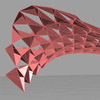
In this experiment, I’m trying to use data recorder to change components on a surface. The component part is a standart triangular construction, but the attractor points are defined by a 2D slider that is connected to a data recorder. Data recorder remembers last 15 points, while you move the 2d slider, last 15 points are projected on the base surface. This creates an illusion as if a “snake” game on a surface. Definition then uses the closes point distance…
Data Structures in Grasshopper
June 8, 2023
Data structures and data matching principles are important to be able to design with Grasshopper. In this tutorial, I show data matching procedures with arithmetic operations. Then I repeat them in the production of geometric objects. I think it should be easier to use this programming language once the students understand the basic principles. Therefore it would be easier to design with it. Sometimes the design process of these diagrams proceeds from left to right (by induction) but sometimes it…