
A Text Effect
This is a macro exercise in Rhino, showing that Rhino is pretty much capable of automating some cool text effects. Just copy and paste the below code into the command bar of the Rhino, or open the macro editor by typing macro edit, then paste it there and press play. You’ll enter any string when prompted, then the macro handles the rest of the process. You can play with the parameters by changing the numeric values you see in the macro.
! _show _selall _delete
_-text 0,0,0 h 10 _pause
_sellast
_setobjectname tex
_boundingbox o c _enter
_sellast
_offset d 3 0,500,0
_delete
_sellast
_planarsrf
_sellast
_setobjectname bord1
_zoom a e
_-selname tex
_explode
_planarsrf
_sellast
_setobjectname tex1
_selnone
_selcrv
_hide
_selnone
_-selname tex1
_scale1d 0,5,0 c=yes 1.15 0,100,0 _enter
_sellast
_setobjectname tex2
_selnone
_-selname tex2
_scale1d 0,5,0 c=yes 1.15 0,100,0 _enter
_sellast
_setobjectname tex3
_selnone
_-selname tex1
_-selname tex2
_-selname tex3
_hide
_selnone
_-selname bord1
_contour j y -50,0,0 0,0,0 0.4
_extrudecrv d 0,0,0 1,0,0 0.1
_hide
_sellast
_setobjectname cont1
_selnone
_-selname bord1
_hide
_selnone
_showselected -selname tex3 _enter
_-selname tex3
_contour j y -50,0,0 0,0,0 0.4
_extrudecrv d 0,0,0 1,0,0 0.2
_hide
_sellast
_setobjectname cont2
_selnone
_-selname tex3
_hide
_selnone
_showselected -selname tex2 _enter
_-selname tex2
_contour j y -50,0,0 0,0,0 0.4
_extrudecrv d 0,0,0 1,0,0 0.25
_hide
_sellast
_setobjectname cont3
_selnone
_-selname tex2
_hide
_selnone
_showselected -selname tex1 _enter
_-selname tex1
_contour j y -50,0,0 0,0,0 0.4
_extrudecrv d 0,0,0 1,0,0 0.3
_hide
_sellast
_setobjectname cont4
_selnone
_-selname tex1
_hide
_-selname cont1
_-selname cont2
_-selname cont3
_-selname cont4
_meshoutline
_setobjectname final
_selnone
_-selname cont1
_-selname cont2
_-selname cont3
_-selname cont4
_hide
_selnone
_-selname final
_-hatch _enter p solid _enter
_selnone
Please open a new blank Rhino file before running this because it will erase everything in the first line. Here are some outcomes of this macro (click on them to see more details)

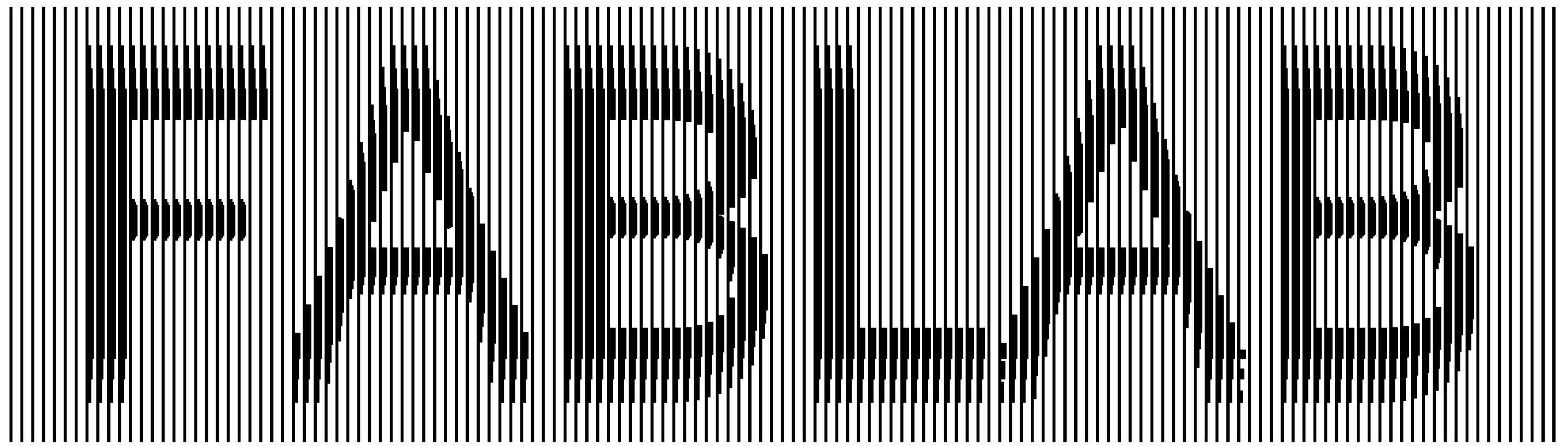
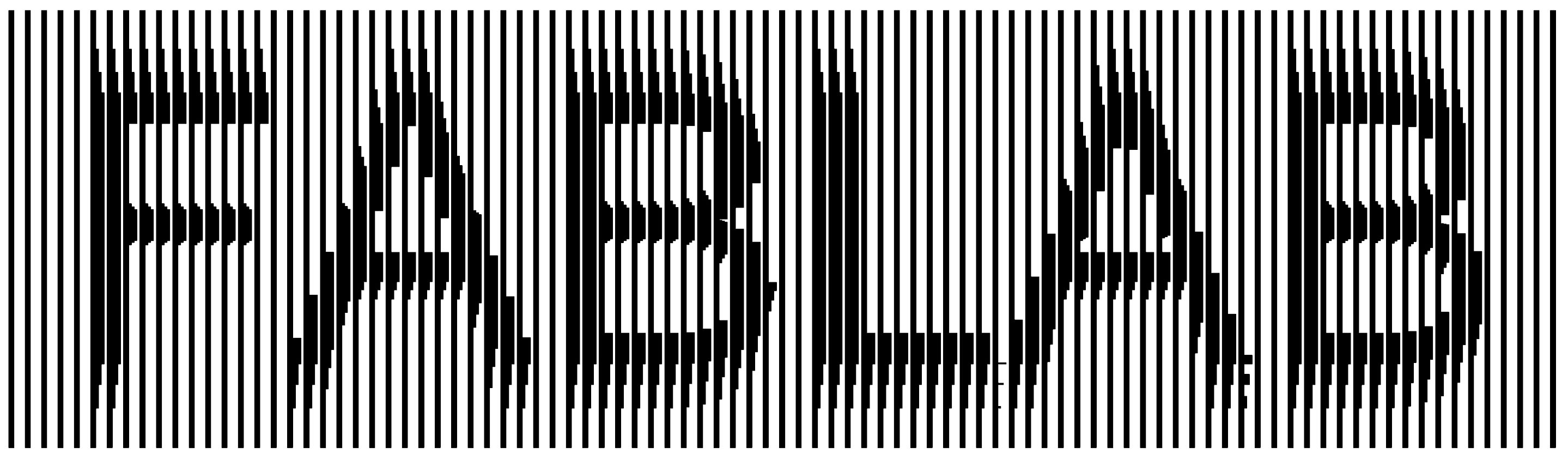
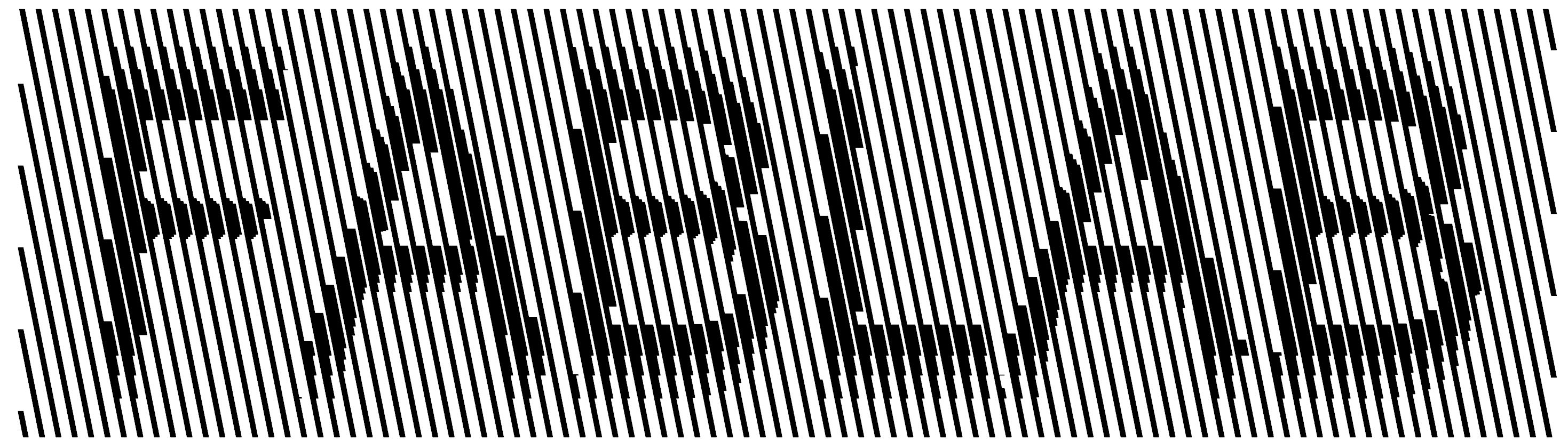
Here is another result, changing some parameters within the macro code: Yes, this might be the “laser-cut-ready” logotype of our future FABLAB. Here is another tweak (slightly rotating the contour axis;)
Cite this post
Related Posts
ASCII Art in Grasshopper
August 24, 2024
ASCII art is a graphic design technique that uses characters from the ASCII (American Standard Code for Information Interchange) set to create images, symbols, and designs. This form of art involves arranging text characters to form a visual representation of objects, scenes, or abstract patterns. I first encountered this art form in the 90s through readme text files and computer games. Years later, attempting to automate it in Grasshopper was a lot of fun. My initial goal was to calculate…
Gaudi Column Macro
March 7, 2015
Gaudi-like columns are generated as part of the “boolean” classes of Design Computing. The most inspiring, beautiful, and ugly variations are often done by boolean intersection, as this operation is the surprising one of the three brothers. While the class deals with the concept of emergence once again via solid and void relationships, constructive solid modeling techniques are introduced. Although it is widely used as a spatial analysis approach in architecture, there are some examples of using boolean algebra in…
Waffle Macro
May 7, 2014
Here are two macros that automate some of the classical structural styles in today’s architectural geometry. They could be developed more to include joint details, however. It is a relaxing experience to study macros when the process doesn’t have algorithmic expressions (such as recursion, iteration, or conditionals). It is today’s subject in the first-year design computing course at İBU. The first one requires at least two curves already present in order to define a lofted surface (to be “waffled”): The second…
Binary Branching using Macro
April 15, 2013
Today’s design computing class was about fractals. In Rhino, writing macro statements are very easy to learn as it just mimics your behaviors in a sequential text. There are a few syntactic rules that we should know. First, you should watch the command line carefully to understand the steps of your design process. Each command in Rhino requires different inputs from the user. In macro, you may enter these values or tell the macro to ask the user by typing…
Back to Macro
December 14, 2012
Can we go back to the beginnings of algorithmic design tools, when it was still as simple as possible (not to the binary level of course)? Most of the theorists agree about the fact that contemporary parametric design tools sometimes provide needlessly many possibilities that suppress the designer’s own creativity. The Voronoi component in Grasshopper was one of the cult examples of that (mentioned here). Throughout this blog, I always search for simple and powerful definitions to design problems, without…