
Trees and Recursive Computing
This topic of trees and recursive computing is inspired by the method shown here at the Rhino Python 101 Primer. This is a beautiful method of recursion that creates tree-like shapes, composed of arcs. I constructed these arcs by using the Arc SED (start, end, direction) method. This requires start and end points and a vector that is tangent to the arc (at the start point). Therefore, the overall look of a chain of these constructions creates curves with continuous curvatures, as every arc is tangent to the previous one. However, I cannot simulate such constructions in Grasshopper without any looping component. Because it defines the new arcs using the previous one.
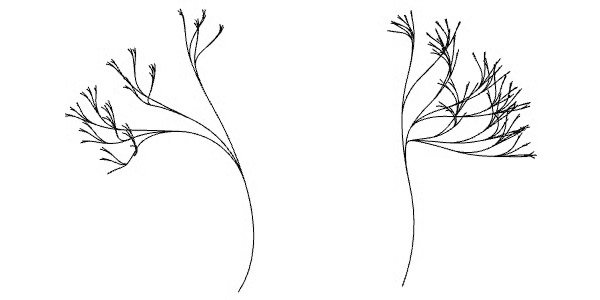
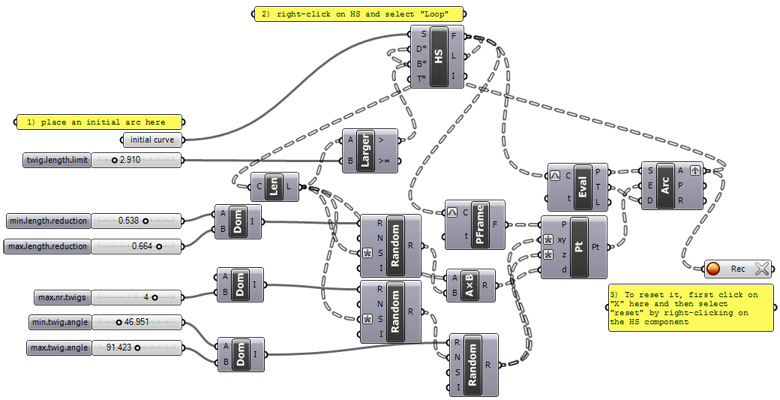
There are sliders defining maximum and minimum values to particular parameters of the tree, and a length limit, that says “stop” to Hoopsnake when necessary. These parameters are different from the ones in the original Python script, so the outputs are also different. Recursion starts with the initial curve you’ve defined in Rhino. Then, Grasshopper takes its endpoint and corresponding tangent vector to start the iterations. I rotate each twig around the vector at a random angle (defined by min-max values). I also shortened them by using a random factor. After drawing arcs these twigs are then fed back to Hoopsnake. Then, the same loop creates new ones using the same procedure.
Cite this post
Related Posts
Tree of Life
August 12, 2023
This Grasshopper exercise is a special one. I used Hoopsnake components to develop the branching design I studied earlier here. This time I multiplied the number and orientations of several tree structures to generate my interpretation of the Tree of Life. The challenging part of the algorithm was to finalize every branch tangent to a predefined circle. Group 3 handles this issue by utilizing a Blend Curve component. There are many Number Sliders to play with the design. Thus, I…
Fractal Trees
April 11, 2015
Based on this post, the problem of modeling tree-like fractal shapes is still a good question for the early years of computational design education. Last time, I used Rhino’s macro to study these fractal trees in an “impossibly” limited interface. But this time I used a VB.NET script. Here is the code inside of the VB.net component: Here are the inputs. x is the number of iterations. The Crv input is a line needed for the first iteration. t represents how…
Ice-ray Lattices
February 5, 2012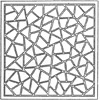
The design of Chinese window lattices named “ice-ray” is one of the classic studies of Shape Grammars. It is an old and good example of algorithmic design. George Stiny explained their geometric construction based on the parametric Shape Grammars approach. He explained shape rules and the abstract machine that produces the subdivisions. I was especially interested in Shape Grammars when I was a graduate student. I even made a prototype tool for Shape Grammars in MaxScript. Here is another post…
Hoopsnake: Looping Definitions
February 3, 2012
Wow! Is this possible in Grasshopper? In order to start creating recursive algorithms in Grasshopper, I finally managed to run Hoopsnake, a special component developed by Yiannis Chatzikonstantinou. This will help me develop parametric models that include loops. The fundamental experiment here shows a surface subdivision based on iterations. We should define a starting object or data, an operation to be repeated, and a limit that will tell Hoopsnake to stop looping. In this condition, this is the area of…
Binary Branching using Macro
April 15, 2013
Today’s design computing class was about fractals. In Rhino, writing macro statements are very easy to learn as it just mimics your behaviors in a sequential text. There are a few syntactic rules that we should know. First, you should watch the command line carefully to understand the steps of your design process. Each command in Rhino requires different inputs from the user. In macro, you may enter these values or tell the macro to ask the user by typing…