
Some Rhino Tips
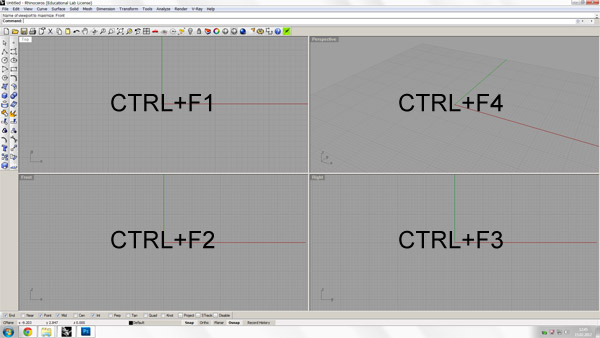
Here are three technical tips, that might help you model in Rhinoceros faster. In most cases, you’ll find CTRL+F1,F2,F3 and F4 very helpful in modeling and transforming objects in digital space. These key combinations will focus you on Top, Front, Left and Perspective views (maximized) respectively.
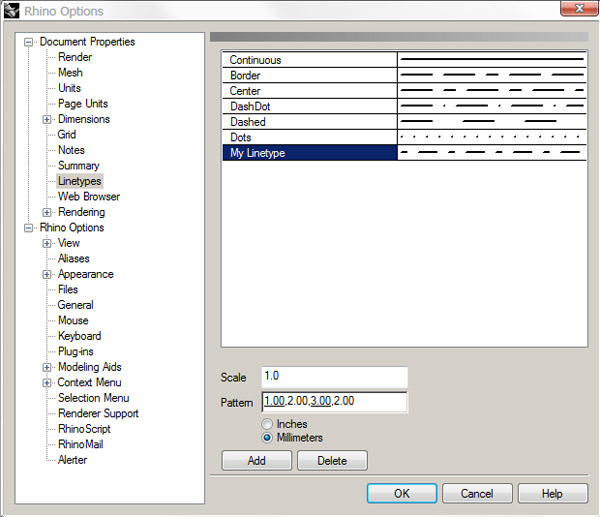
Also, when you try to express your design process (especially supporting geometries) using different linetypes, it’s possible that you’ll never like those preset linetypes. By choosing Tools / Options, you’ll have the opportunity to change and add new linetypes at “Linetypes” tab there. Just play with the pattern and add your own linetype to the Rhinoceros document you are working on.
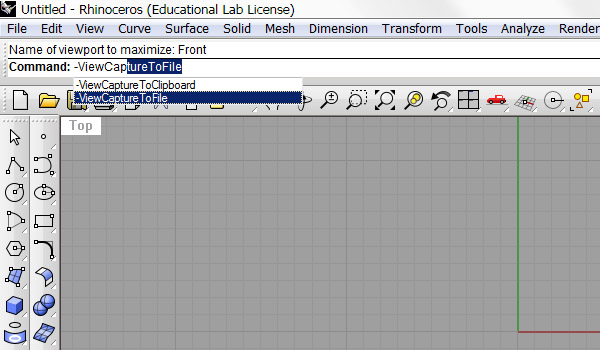
When you need to create a stop-motion animation from Rhinoceros, you’ll have to create frames for each condition. You have several commands to save viewport to the disk as jpg, or bmp. This command, -viewcapturetofile is a good one I think, because it gives you several options before saving the viewport. Then, you’ll open those frames (file named, 01,02,03 etc..) by selecting “image sequence” in Photoshop. After that, you may save your small animation as a gif file.
Cite this post
Related Posts
Rhinoceros Layout Tutorial
December 14, 2024
In Rhino, layouts are used to prepare drawings for printing or presentation. They provide a way to organize and display 2D views of your 3D model, such as top, front, side, and perspective views, in a way suitable for producing printed or published documents. In this short tutorial video, I show the basic usage of the Rhinoceros layout system. So, this Rhinoceros Layout Tutorial video is for beginner-level CAD users. Therefore, you can use it to create PDF posters and…
Rhino Print Dialog
November 2, 2013
Here is a simple description of Rhinoceros’ Printing dialog. It is the same with version 4.0, nothing changed in layout and printing dialogs in 5.0. Significantly our Architectural Geometry classes should benefit from this explanation. Most of these options should be tested with a plotter (e.g. pencil widths) before final print-outs. Also, you may try creating a PDF file of your homework from this dialog.
Scripting Tab in Rhino 5
December 11, 2012
Last year, I posted a way to create a Grasshopper command button in Rhino 4 (here). As the scripting possibilities increase in Rhino 5, the new tab feature can be used to put them together. I’ve made 4 of the most used platforms in a tab named “Scripting”. Here is how I did it; Use right-click on the empty area to open the above menu and select “new tab” to create an empty tab, naming it “Scripting. Right-click on the…
Modular Roof Project
January 25, 2012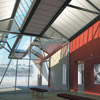
This was a design competition of a precast concrete roof system. My design proposal was a modular and variable structure for İstanbul’s old bus station, converted to art galleries. However, this project was developed purely by hand-sketches, I’m planning to create an envelope of alternatives by creating a parametric model. Each module is proposed to be converted differently in order to meet various functions such as single or double module galleries, shopping and restaurant, and a theater also. The varying…
Rhino Viewport Colors
August 8, 2023
Recently I found this VB.net component in an old Grasshopper project. I am not sure if it is mine or not, but I wanted to share it with you. This code modifies Rhino viewport colors quickly without entering the Rhino options window. I frequently modify the viewport colors and grid settings to create renders or animations within Grasshopper. This is why, this component might be useful in making quick modifications to the screen colors. Here is the VB.net code inside…