
Ice-Ray Lattices Revisited
Further studying iteration in Grasshopper, this time, inspired by George Stiny’s “Chinese Ice-Ray Lattice” subdivisions with Aneome, instead of the Hoopsnake add-on I tried in the previous work.
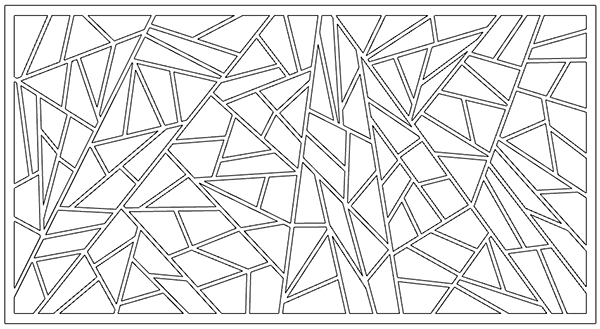
As you know, loops add various ways of usage to Grasshopper. In future versions, loops may cease to be just an add-on and become native components of Grasshopper. Until then, loop plugins like Anemone take on this task. In the example here, we create an application by throwing random lines to divide a plane. For this to work, we need a planar surface. You can easily achieve this by either using Rhino’s “srf4pt” command, which converts 3 or 4 points to a plane, or using the “Planarsrf” command, which fills any two-dimensional curve. Alternatively, you can create your planar surface within Grasshopper as well.
Ice-Ray Definition
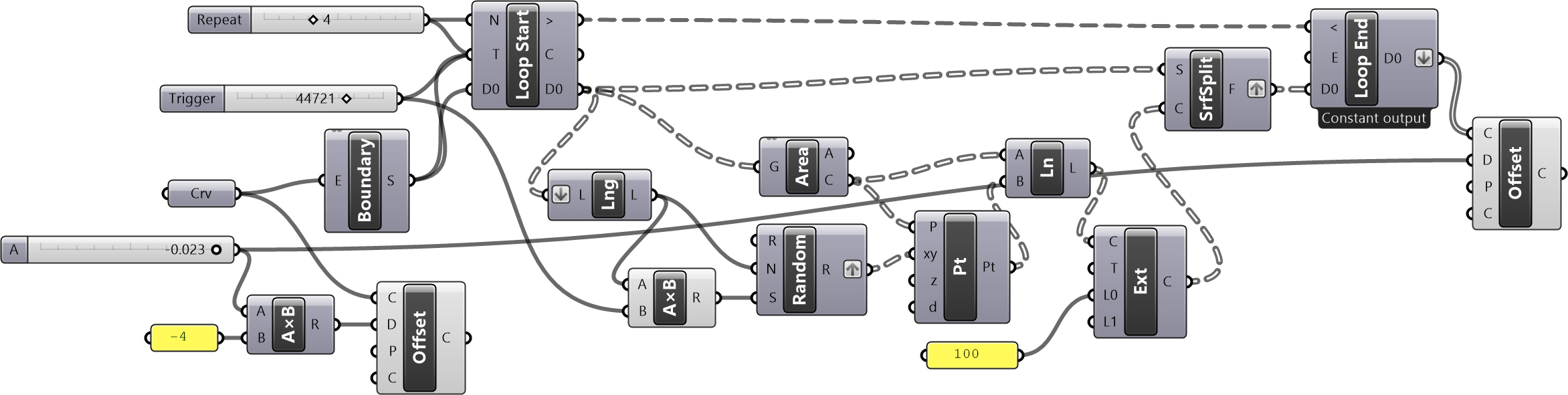
Then, we draw a random line by taking the center point of the surface (Srf). After extending this line, the surface is split into two parts using the Surface Split (SrfSplit) component. We’ll leave a detailed examination of how the application works to you. The example presented above should have given you an anticipation of situations where you might need to use loops while working in Grasshopper. Even though Grasshopper typically follows a left-to-right reading and writing structure, loops can be very helpful in cases where standard methods would not be feasible. Above is the Grasshopper definition (You need to install Anemone components first). This definition requires a closed polyline as a boundary of the lattice.
Since the original Ice-Ray paper is a scientific study on Shape Grammars, of course, this is only an inspiration compared to it. If you read the paper, you will see that the methodology is completely different there. Thus, this definition does not obey the real scientific study Stiny has conducted.
Cite this post
Related Posts
Chinese Ice-ray Lattices Revisited
March 25, 2013
One of the cult texts in Shape Grammars theory is Stiny‘s Chinese Ice-ray Lattices Grammars. Although it is full of technical terms, it represents an analysis of a working algorithm. We can directly transfer that from the behavior of an artist. One can imagine a Chinese artisan, summoned to a building site. He brings tools and implements and a collection of finely finished sticks. Then, he begins his design by selecting a stick of the appropriate length and carefully attaching…
Ice-ray Lattices
February 5, 2012
The design of Chinese window lattices named “ice-ray” is one of the classic studies of Shape Grammars. It is an old and good example of algorithmic design. George Stiny explained their geometric construction based on the parametric Shape Grammars approach. He explained shape rules and the abstract machine that produces the subdivisions. I was especially interested in Shape Grammars when I was a graduate student. I even made a prototype tool for Shape Grammars in MaxScript. Here is another post…
Dragon Curve Fractal
December 25, 2023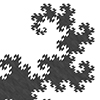
This week’s fractal is the famous Dragon Curve. Dragon Curve exhibits self-similarity, meaning parts of the curve resemble the overall shape, regardless of scale. It’s fascinating because a relatively simple construction process generates a complex and visually captivating fractal pattern. The Dragon Curve is often used to demonstrate fractal properties in mathematics and is popular in recreational mathematics due to its intricate and beautiful patterns. It has applications in computer graphics and is interesting in studying chaos theory, self-similarity, and…
Cesaro Fractal
December 19, 2023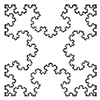
In this study, I explore Cesaro Fractal, generated by Grasshopper. Usually, it is not possible to code recursive algorithms in Grasshopper. With the help of the Anemone add-on, these fractal curves are easy to model. I studied similar fractal algorithms here before. This one is very similar to the Koch’s snowflake. The only difference (as far as I understood) is the side of the spikes. Koch’s Snowflake generates triangular spikes pointing to the outside of the polygon. Cesaro Fractal does…
Koch Snowflake Fractal
April 12, 2023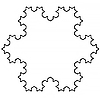
This is an implementation of the famous Koch Snowflake Fractal in Grasshopper. We will be using the Anemone add-on to handle the iterations. In this fractal, we start from an equilateral triangle. Then, we form new equilateral triangles, one-third of the side. So that each repetition protrudes in the middle of all the sides. In summary; The Preparation for Koch Snowflake Fractal Now let’s follow the Grasshopper application step by step. We start Koch Snowflake Fractal by creating a triangle…