
Tattoo Design
Here is a tattoo design I am currently developing by using Grasshopper. 11 years ago, I developed a Grasshopper definition that approximates Julia Sets here. One of the experimental outputs of that definition looks suitable for a tattoo design. It is a beautiful fractal shape. But I am not perfectly sure about its suitability for a tattoo. Here it is:
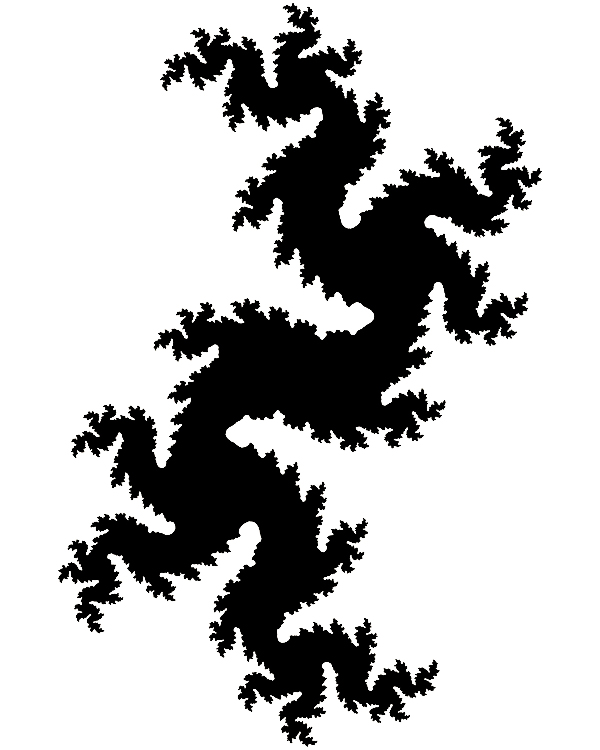
This was generated by the function z2+c and the parameters were: 0.3+0.49i with 25 iterations. I experimented a bit more on similar terrains. Therefore, below is a trial with 0.2897+0.6i with 15 iterations. I played with the escape value and animated it:

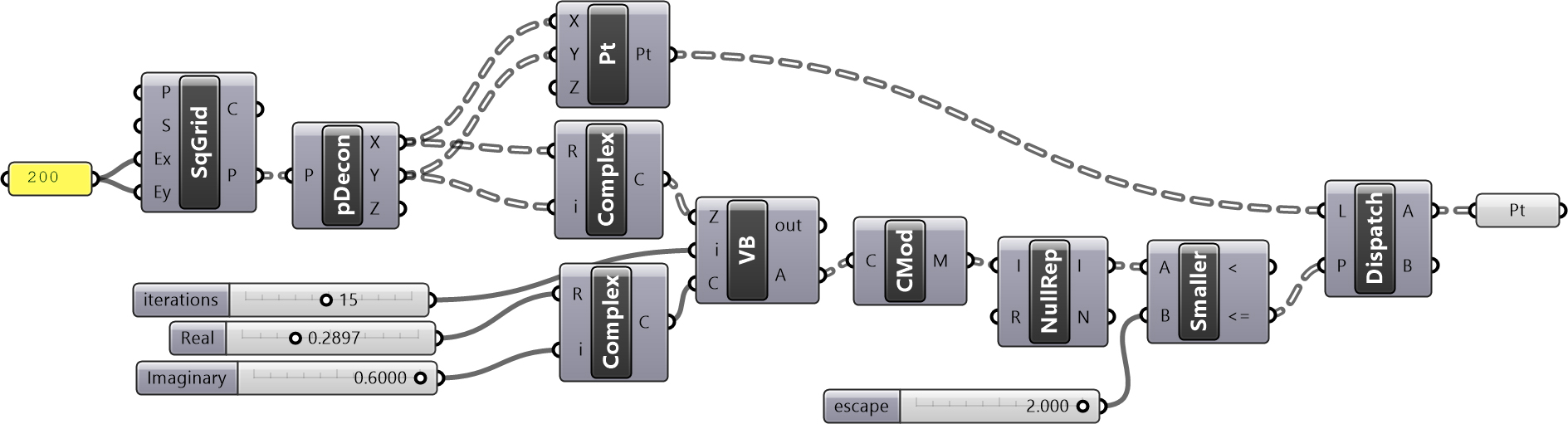
Above is the Grasshopper definition I created for this. It uses only native Grasshopper components (no add-ons). I used one vb.net script in it. Below is the code inside this component. I tried to add the Grasshopper Python component here. However, I couldn’t manage to implement cmath module properly to make calculations with complex numbers. So, I am planning to do that in the future. Also, I need to conduct another study to make this definition faster. Finally, I need to talk to a tattoo artist to further elaborate on the details and application of these fractals.
Cite this post
Related Posts
Fractal Trees
April 11, 2015
Based on this post, the problem of modeling tree-like fractal shapes is still a good question for the early years of computational design education. Last time, I used Rhino’s macro to study these fractal trees in an “impossibly” limited interface. But this time I used a VB.NET script. Here is the code inside of the VB.net component: Here are the inputs. x is the number of iterations. The Crv input is a line needed for the first iteration. t represents how…
Camera Animation
April 28, 2014
Here is the simple Grasshopper definition that activates Rhinoceros’ camera by given parameters. Camera position is determined by the “point-oriented” method here. This means that you have to have a target point for the camera first. In fact, I was trying to find a suitable command for getting the actual camera position of the Rhinoceros but I think it is impossible (for now). I couldn’t track the camera object by its ID number also. There are some Grasshopper components that deal with…
Regenerating Random Numbers
January 2, 2013
Just a quick tip as I thought might be useful in some cases. Generating random numbers in architectural scripting is not a too catchy thing for designers. It is for sure, we want every parameter to be under our control (as if it were possible!). I was thinking about that in Grasshopper. A dataflow graph such as in Grasshopper regenerates whenever necessary (a change on an input value “fires” every connected component), therefore random number component requires your action (for…
Metronome Continued
July 19, 2012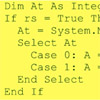
Here is today’s improvement on my metronome with the timer component, which started here. It’s straightforward to tell Grasshopper about seconds and organize it according to it. Using an interval smaller than 1 second, this small script catches every second and returns a different value. However, it’s much harder to implement smaller values than seconds. It seemed easy at first sight but getting accurate results smaller than seconds requires working with milliseconds. You can output the current millisecond’s value, but…
Timer Component
July 16, 2012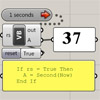
This is probably the most simple definition on this site but I think it’s very useful. The timer is a special component of Grasshopper that is significant in terms of the real-time sketching paradigm. This basic use of a timer includes a 1-second update to a Vb script. Inside the script, the system date’s seconds are returned, so we see a real-time increasing number at output A. Beyond this point, It’s up to your imagination, how you can use that…