
Waterbomb Tessellation
It all started with my new passion for origami tessellations, not much of origami, but the tessellation part. I was too lazy to fold it physically, nor model them using an engine such as Kangaroo. That would also be very unnecessary (and yes, very boring) to simulate a folding effort on the computer unless we lose our connection with the real world. Instead, I tried to look at a much more abstract, silly, and basic part of it; the creasing patterns. I found below a tessellation named “Waterbomb” by the beautiful source of Eric Gjerde to start an exploration. It quickly became a challenge for the dataflow environment (as I liked most). As you see, it has a regular triangular tessellation (grid) as an underlying system. We can quickly create a triangular grid in Grasshopper but telling it to pick the correct pattern of cells is a bit tricky, and became a data tree exercise by itself.
The Waterbomb
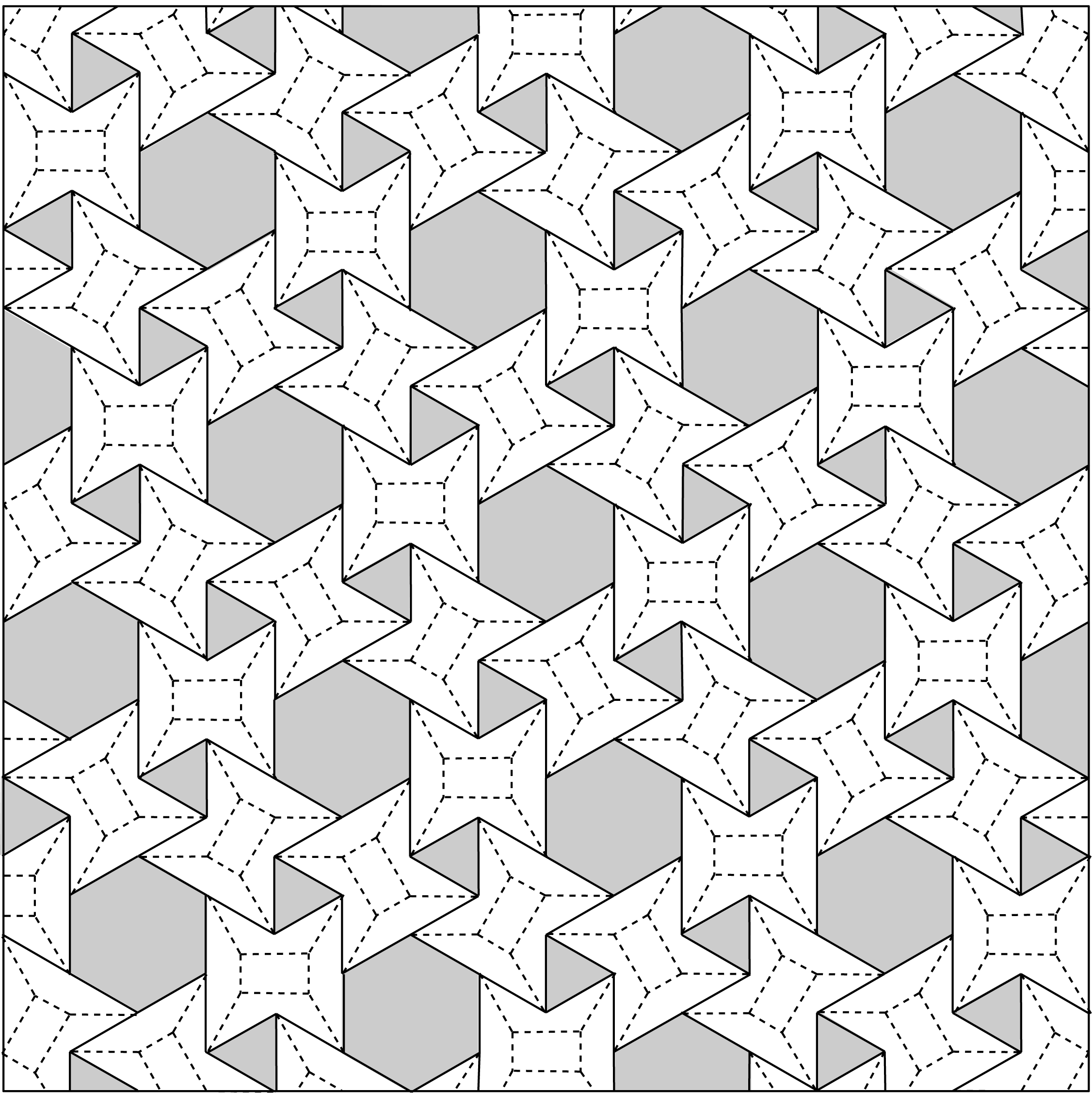
First, I tried to implement 3 hexagonal grids superimposed to find the locations of polygons. However, the distances between each hexagon were not very clear because of the slight angle there. Then I realized that there is a repeating pattern of 1s and 0s on the triangular underlay. If I count triangles from left to right, row by row; picking triangles and hexagons as 1, and leaving the other shape as 0, that would be a good starting point. I counted the cells and found this repeating pattern;
10000000000100111000011100
When I shift this pattern 7 cells to the left, It reflects one row below.
10000000000100111000011100
00001001110000111001000000
11100001110010000000000100
11100100000000001001110000
00000000010011100001110010
00100111000011100100000000…
This goes on like that. The six 1s packed there represent the hexagons, while alone 1s represent the triangles. Repeating, flipping, and shifting created the above pattern in Grasshopper. (I’m sure if you play with this initial pattern, it would create very different compositions). The rest was very easy. Just create a triangular grid and apply the above pattern as a dispatching mask to see the hexagons and triangles.
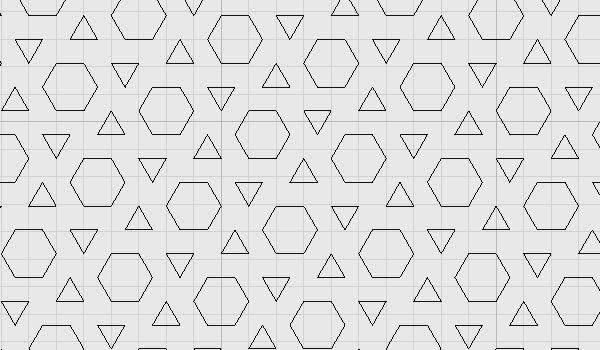
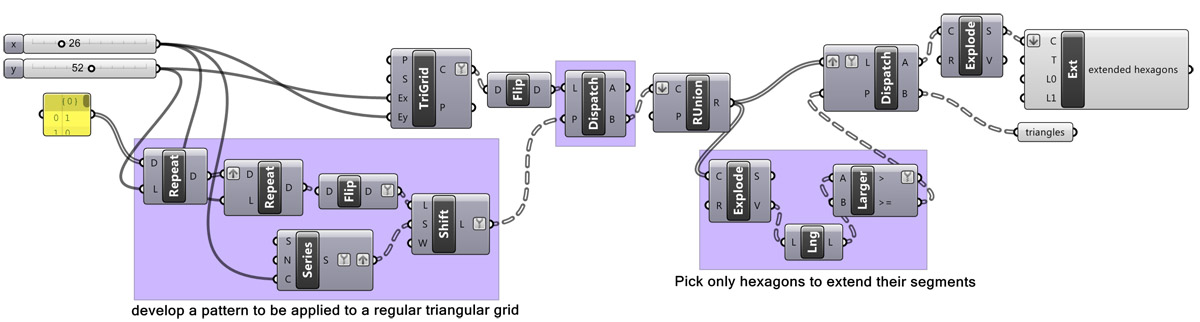
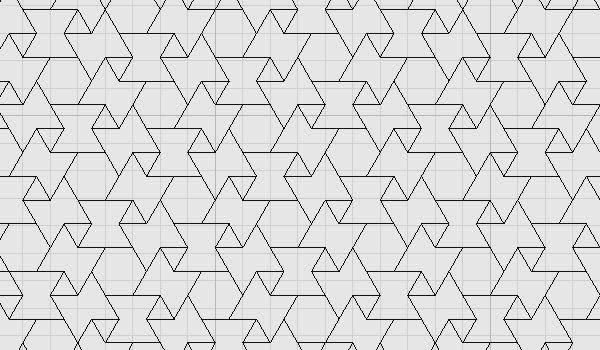
At this point, I was just about to quit the experiment without drawing the extension lines you see in the pattern. However, this reminded me of the emergent shapes post a year ago (here). After a couple of dead ends, I realized it would be not that hard to tell Grasshopper to join those triangles as regions, explode them and count their number of vertices to understand which of them are hexagons, then explode those hexagons and extend one side of them for 1 triangular unit. It worked exactly as I thought. Above is the final definition: This is the final tessellation of Waterbomb:
More than Waterbomb Tessellation
There are also further possibilities with this definition, which I’ll briefly present here. For example, when you switch the A and B’s of the dispatch components, this result appears:
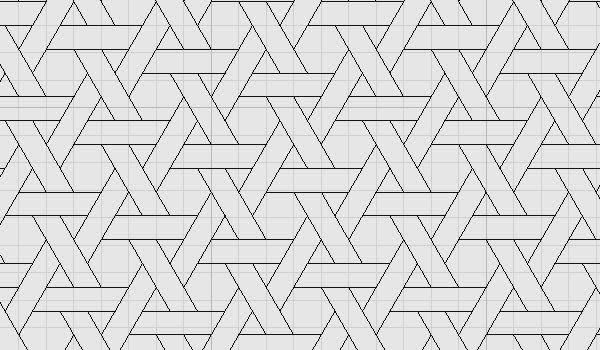
Also, when you change the x value, the shifting pattern gets crazy and sometimes creates these results (at x=46 precisely):
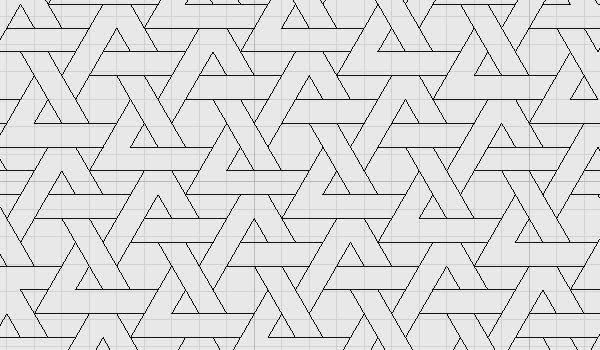
When you hide final triangles and extend hexagons 2 units (instead of 1), this happens:
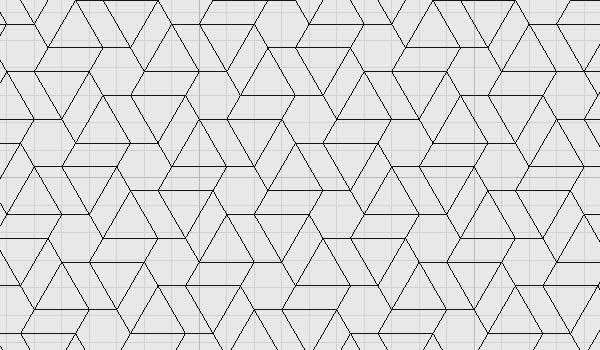
Cite this post
Related Posts
Hexagonal grid with Rhino Python
July 25, 2017
This python code proves how much effort it takes to create a simple hexagonal tessellation. There are, of course, much easier and faster methods than this. But here you see a code that introduces students to Rhino Python. Using this code, a new Rhino command can be generated, and for the first time in Rhino, we can have a command that creates a hexagonal grid. I followed this tutorial to turn this Python script into a Rhino command. This is…
Vector Fields
December 28, 2012
Back to the basics. I finally had time to test the vector fields components in Grasshopper. It was a couple of updates ago, a new tool group emerged in the vector tab, introducing different types of vector fields to users. Then, these fields could be merged to form more complex effects. However, I created a very simple example of how we can use those components to distort a system (such as a regular tessellation). Using attractor forces (usually in geometric…
Hexagonal Star Lattice
December 18, 2023
Here are the variations of classical six-pointed star patterns generated by Grasshopper. Generally, you can see these patterns under the title “Islamic patterns” because they are frequent in the decorations of mosques and palaces. I studied these patterns in Grasshopper earlier in these posts. I always find this an interesting geometry exercise. This time, my main goal was to develop a useful code only with the native Grasshopper components that create laser-cut-ready products of hexagonal star lattice. Thus, I made…
Parquet Deformation of Star Patterns
February 3, 2012
This is another starting point for pattern generation study in a dataflow environment. I tried to implement the parquet deformation of Islamic patterns in Grasshopper. I studied Hankin’s method of Islamic Pattern generation. Then I tried to simulate his process beginning with basic regular tiling (regular hexagonal tessellation). Craig S. Kaplan (here) explains this and other methods in his dissertation. A Simple Foundation We have already experienced the result of exploding any hexagonal grid, shifting its points with the help…
Kinetic Tessellation
May 12, 2014
This is one of the ideas we’ve tested for the workshop “Animate Patterning“. Apart from the pattern that turns around, the torque, rotation radius and speed of the servo, weight, connection detail, and a number of foamboards become important inputs for this design. In the three-day workshop, one group of students interpreted this idea of using several moving layers and creating an emergent pattern at the perceptual level. However their project was slightly different from this one, I’ll post their…