
Detecting Inner Regions in Grasshopper
This is a simple trick that shows the utilization of the “surface split” component in Grasshopper. It is used for detecting the inner regions of any given two-dimensional linework. Thus, it resembles the hatch boundary detection of AutoCAD and similar software. There is no built-in hatch component in Grasshopper. But maybe you can use this as a starting point if you want to develop it.
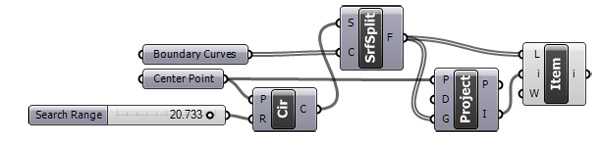
The definition starts with drawing a circle around a point large enough. The size of this circle might be based on the boundary curves. However, here I chose to pick its size from the user. Then, I create a planar surface using the circle. Thanks to Grasshopper’s flexibility, it accepts the circle as a planar surface automatically. Sometimes these data type conversions are very useful. But in fact, these exceptions sometimes cause misunderstandings and false expectations. Anyway, I split the planar surface with the boundary curve collection. Finally, I project the point onto these surface pieces. The Project component has an output I, which tells the index number of the surface on which the point is projected. In fact, this output made all these definitions possible and easy.
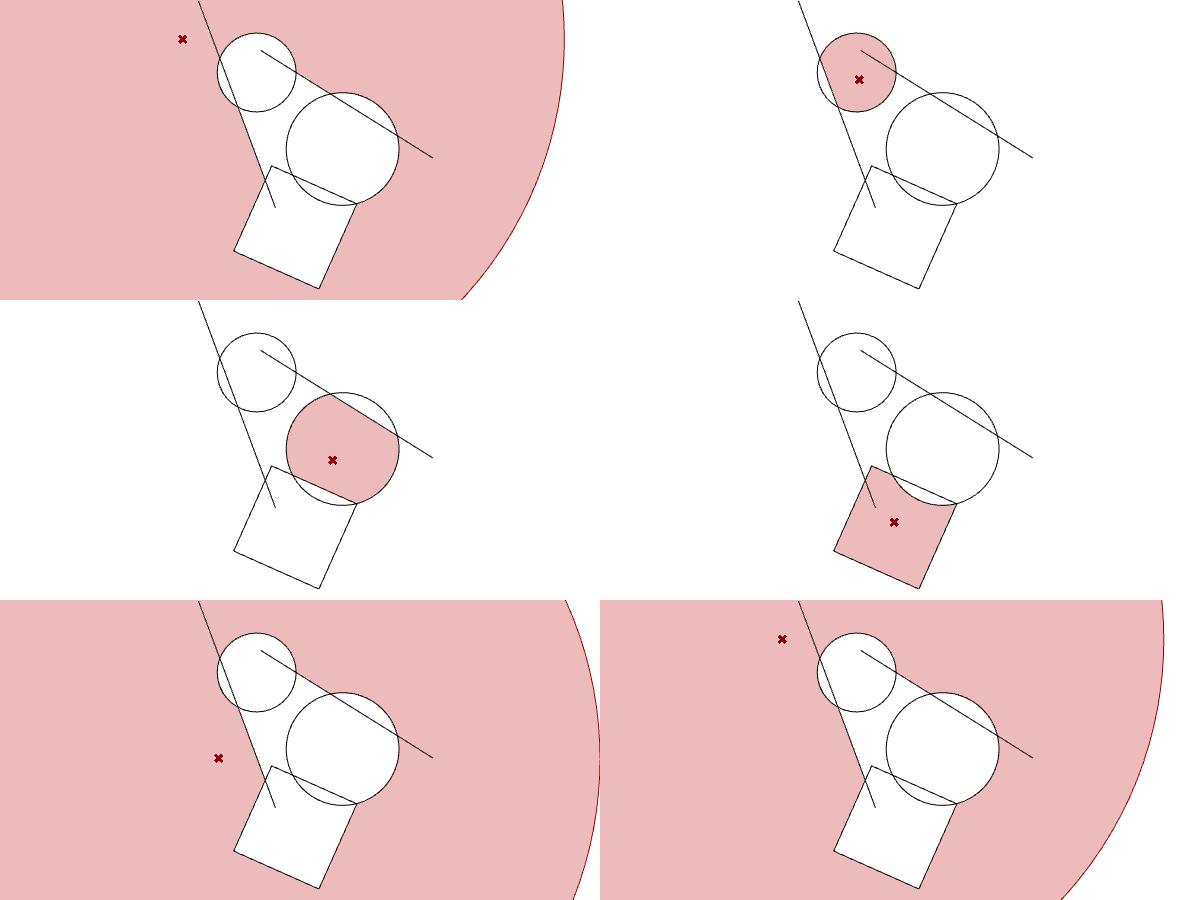
In the end, I chose the particular surface split piece with the correct index number. I used the “project” component to quickly understand which of the trimmed surfaces is inside while detecting the inner regions. However, the “Point in curves” component also gives the same solution. It works as you can see above animation. Here is the Grasshopper definition if you want to try:
Cite this post
Related Posts
Curvature Map on Terrains
September 17, 2026
This is the last of the site analysis tools we previously used in the midterm project of first-year architecture education. As you may recall, we previously introduced a tool that generates topographies based on specific parameters. Afterward, we examined two tools that perform slope and flow analyses on these topographies. Today, we are presenting a tool that analyzes curvature. This topic actually constitutes one of the interesting intersection points between architectural design and differential geometry. Curvature is not something architects…
Polar Sorting
September 13, 2026
I’d like to write down an interesting problem here. I remembered this while thinking about this post. It represents one of my favorite, simple pieces of reasoning. I frequently find myself needing to sort a number of points around a center in Grasshopper. Don’t ask why. I realized I’ve been using three different methods to achieve this. The first one that comes to mind is using the Vector Angle component, naturally. All we have to do is supply a plane…
Detecting Closed Shapes
August 26, 2013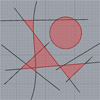
Again, I continue with some simple solutions for Grasshopper. The surface split component gives all possible surfaces sliced with given curves. And it creates “invalid” curves with at least one open edge. I used this to perceive the closed regions within a given complex curve set. Just put the “Clean” component to erase the outer invalid surfaces and there remain the closed ones. However this time the question was where to put the circle and what its radius of it…
Curve Farthest Point
August 26, 2013
Today’s tip is about two-dimensional curve-point calculations. It is very handy to use “closest point” components in Grasshopper. You can calculate distances and directions between curves, surfaces, and points. Then, place point objects in relation to the proximity of another object. However, there is no “farthest point” implemented yet. I tried to calculate the farthest point from a curve. First, I tried to translate the curve in a fashion that would result in the opposite of the closest point calculation….
Shortest Path Generator
April 30, 2012
This is the continuation of my scripting experiment within Grasshopper. Like the minimum spanning tree algorithm, this is also a famous problem of computational geometry; the shortest path problem. I’m now coding faster and understanding the namespace more easily in Grasshopper. This time, the challenge was implementing Dijkstra’s algorithm for the Shortest Path Generator. Again, it’s a quite powerful algorithm, I even plan to use it in my current project. Although there is a faster alternative, Shortest Walk-in Food4Rhino and it…