
Cantellation of Polyhedra
This project randomly stole an entire evening of mine. I didn’t know what the cantellation operation was. After doing some research, I realized it mirrors the process of the dual operation we had previously performed with polyhedra. It turns out to be the process of turning edges into new faces. I started looking for ways to do this in Grasshopper without using ready-made add-ons that include this and similar operations. As always, I had to solve many interesting geometry and data flow problems and make some compromises.

Face Adjacency
First, my version of cantellation might differ from the mathematically defined one. I focused on geometric construction, visualization, and animation. To accomplish this, the first task was to explode the polyhedron and scale its faces down by a specific ratio from their area centroids. You can see this marked as number (1) in the Grasshopper code. Then there is a huge number (2). It extracts the adjacency graph of the polyhedron’s faces in a rather funny way. I’m sure there are much more logical solutions than this. The solution I came up with is to take each face of the polyhedron from its midpoint and scale it down by a tiny ratio (0.99). This way, the edges will start separating from each other. Afterward, perform a scan between the midpoints of these edges using the Closest Points component (the plural one). The good thing about this component is that it also outputs an i, the list of indices of the closest points. Here we find two close points because (being a bit lazy) the point itself is included in the search list, so naturally, it always finds itself as the first closest point. Therefore, I subsequently used a List Item to reverse the list and take its first element (still not using Cull Index somehow). The result is, the index numbers of the edge’s closest neighbors. Here I used Flatten rather recklessly and connected the index values I had directly to the faces of the original, scaled-down polyhedron. Thus, we had the original edges and, in return, the edges closest to them. All I had to do was to Loft these two lines. For some reason, the Ruled Surface component didn’t work here.
Remove Duplicate Faces
After the Loft operation, we come to group number (3). Now, the closest edges we found here yield two results reciprocally, because I couldn’t find a way to eliminate half of the faces. With a bit of effort, this could perhaps be prevented right at the beginning. The Loft surfaces we obtain in this section of my code always come in pairs. Because one face is calculated from edge lines A to B, and the other from B to A using the same algorithm. Group number (3) reduces these surface pairs down to single ones. It simply takes their midpoints and then filters the midpoints to be unique. Finally, it uses the index value obtained by finding which of these reduced midpoints is closest to the original point list in order to select the faces. Here again, we used the i output of Closest Point (this time, single one).
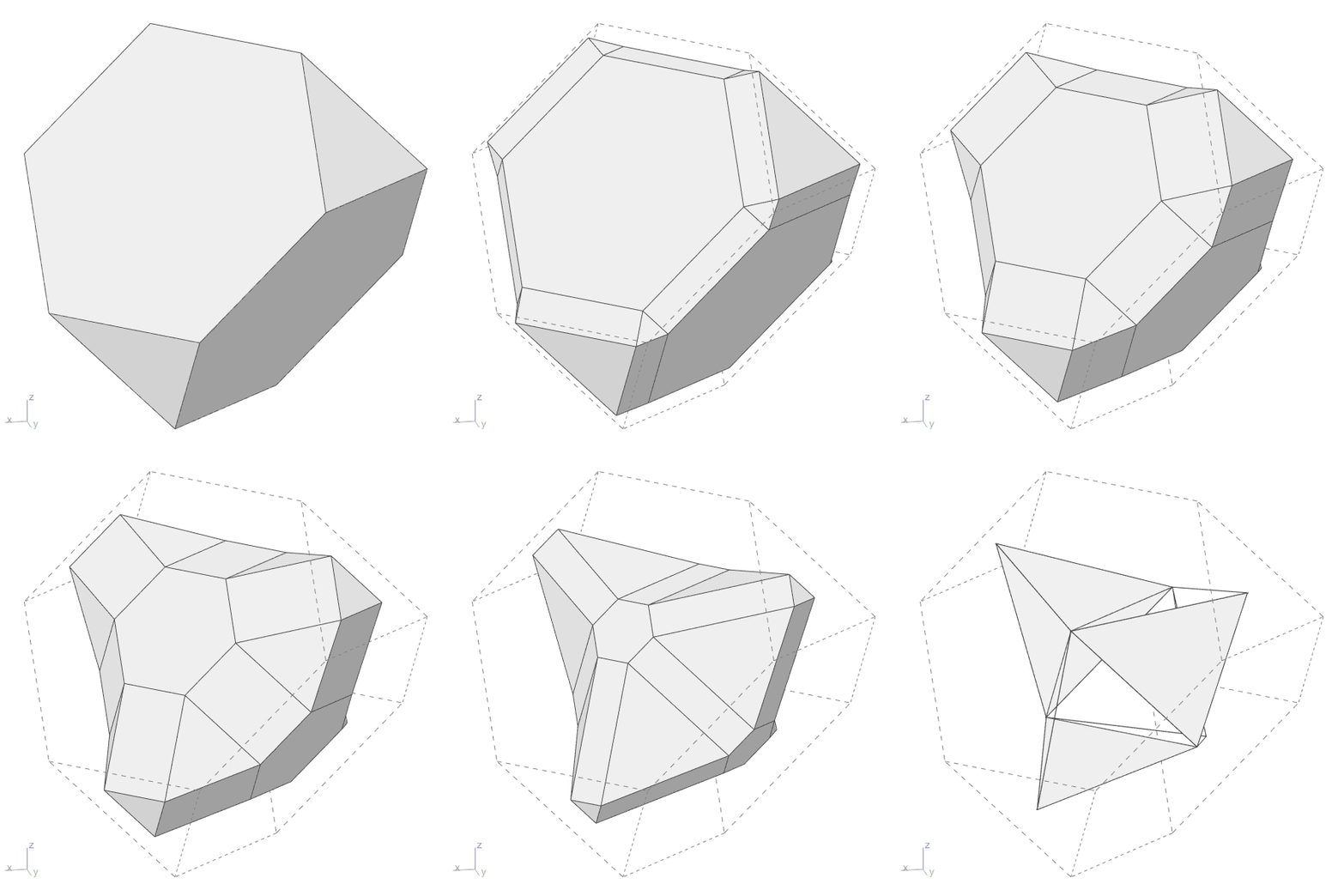
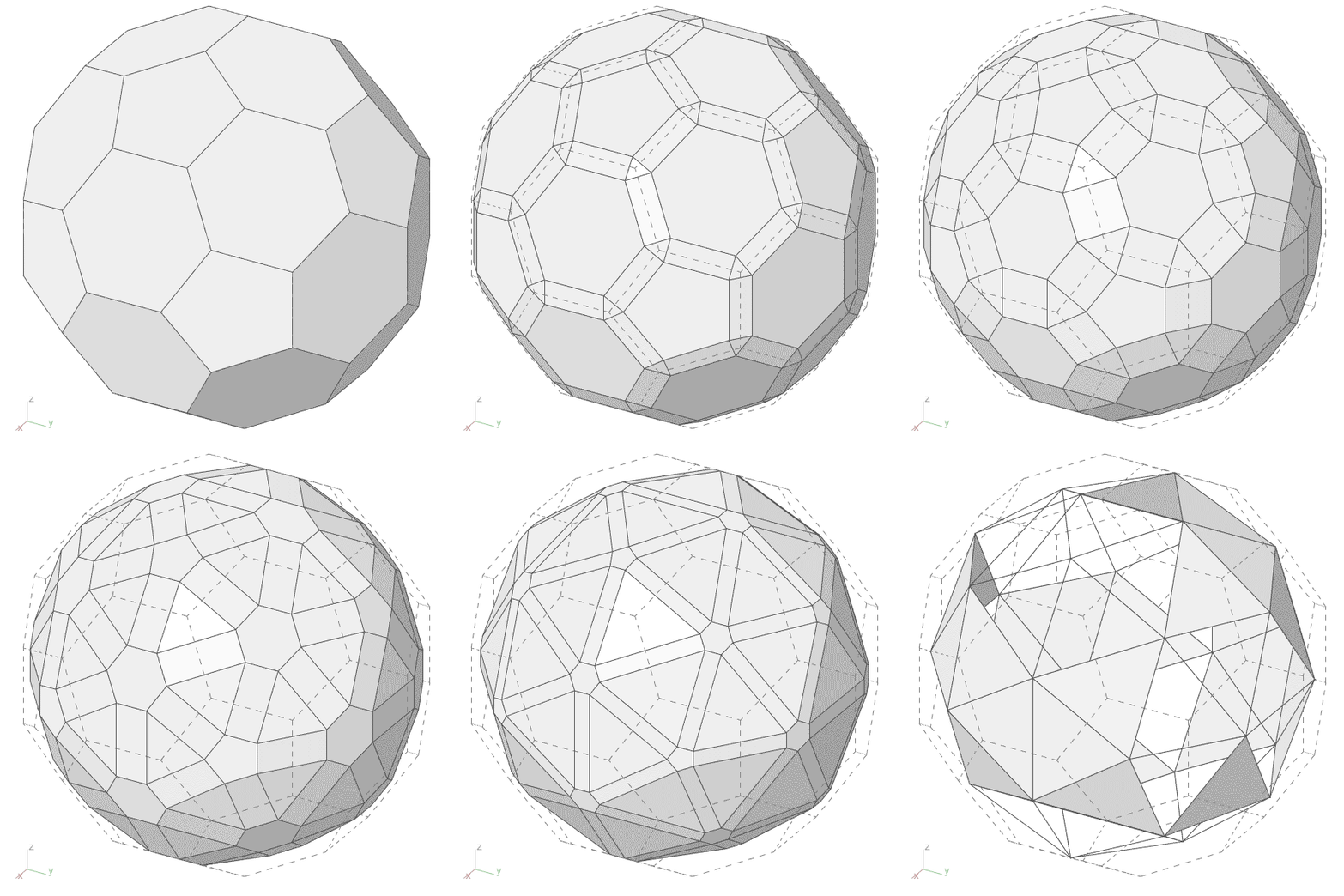
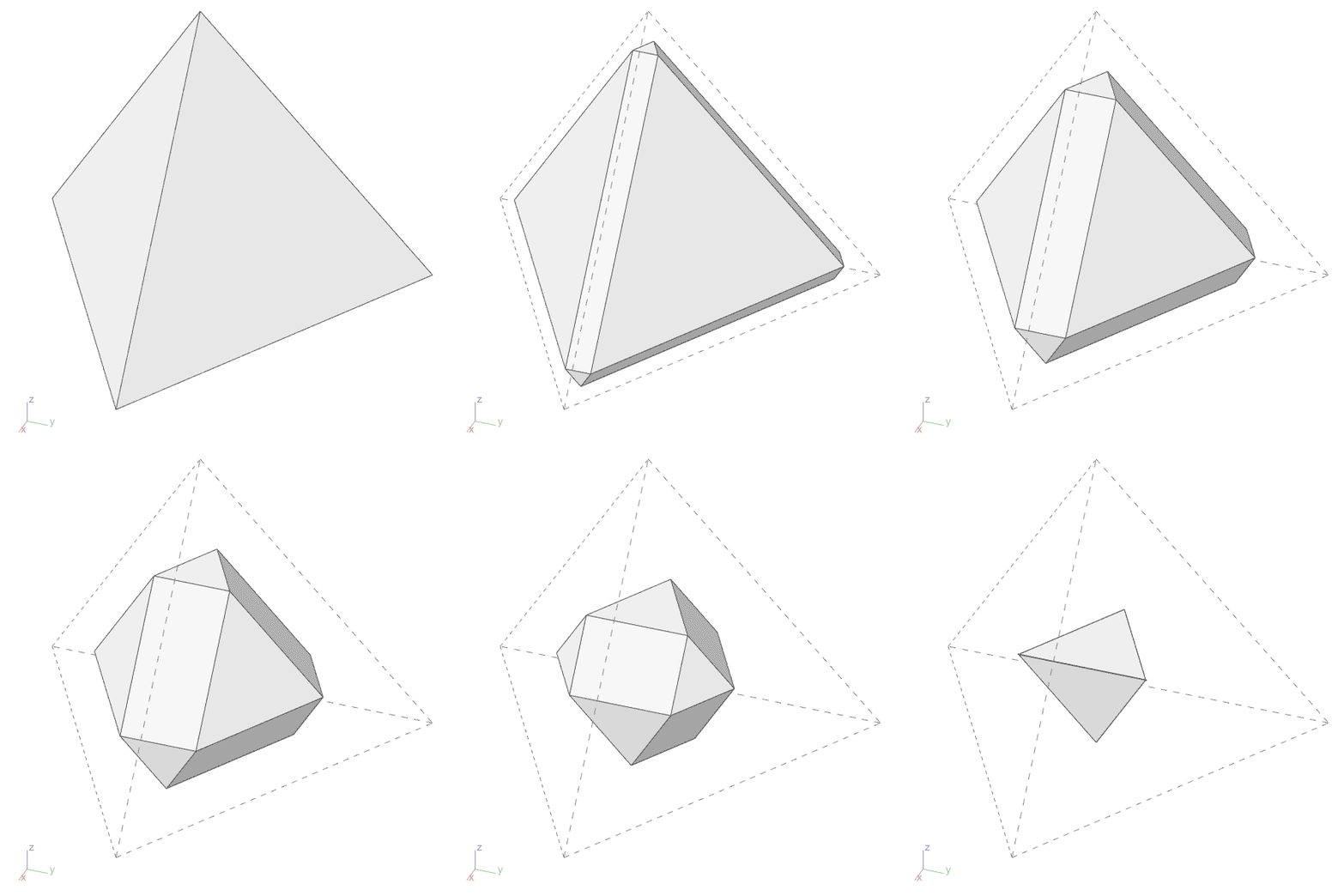
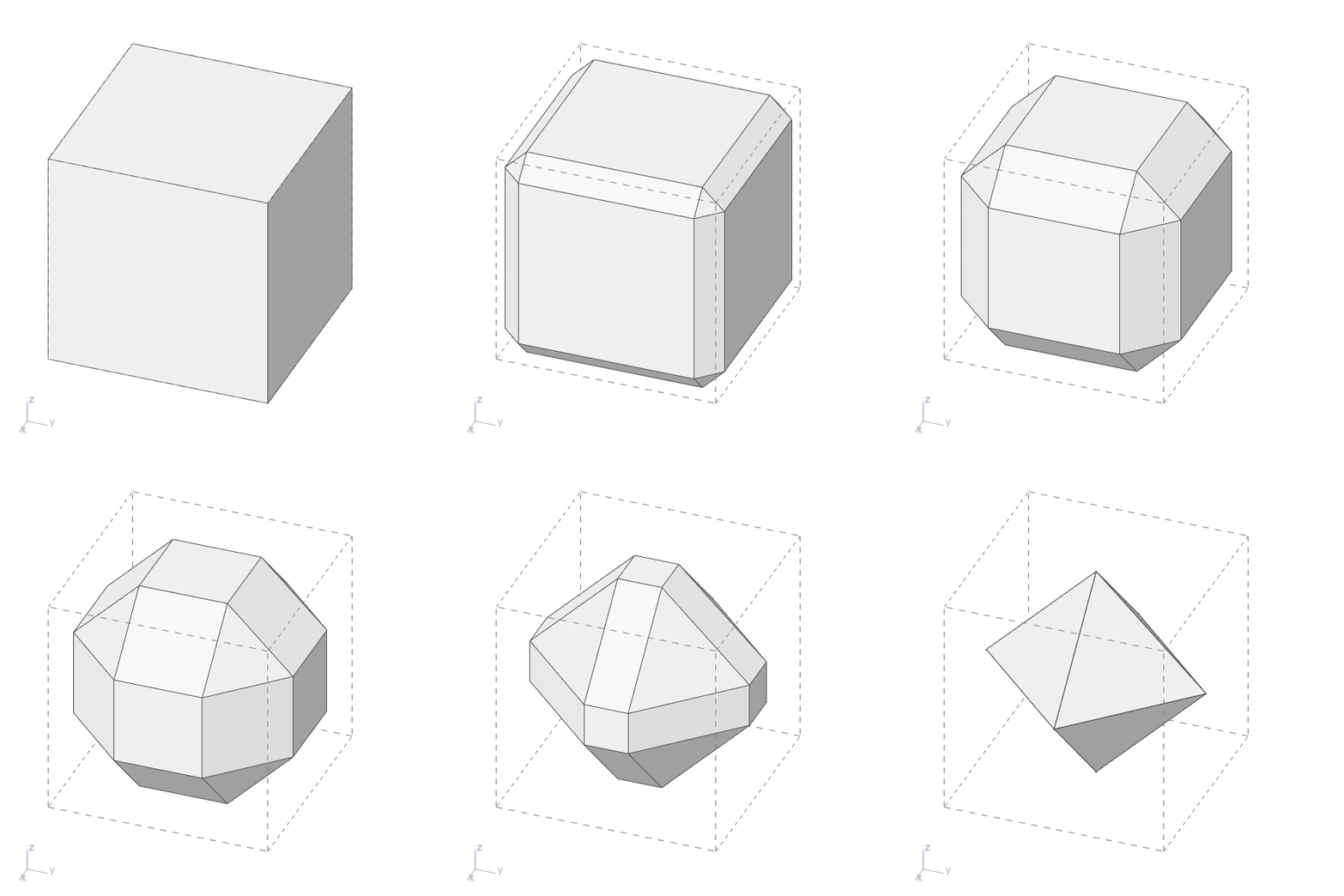
The final step is to join the newly obtained faces with the existing scaled-down faces using Join, and leave the remaining holes to the mercy of Cap Holes. This works in most cases, but as I mentioned above, since this is not an exact solution, the remaining faces are not planar on some polyhedra. I decided to leave it as it is. Since this version keeps the original faces in place, I suppose it doesn’t yield the correct result except for Platonic Solids, but it generates interesting derivations. Therefore, I also added my polyhedron library to the code. Actually, one shouldn’t use Cap Holes because, due to the nature of this operation, the remaining gaps in some polyhedra might not be planar. For this reason, I moved on with another crazy try, and developed a way to make Grasshopper draw the remaining faces as well. I’m putting that code here too, but it runs very slowly because I used Patch there. Also, in that code, I hadn’t yet managed to remove the duplicate faces.
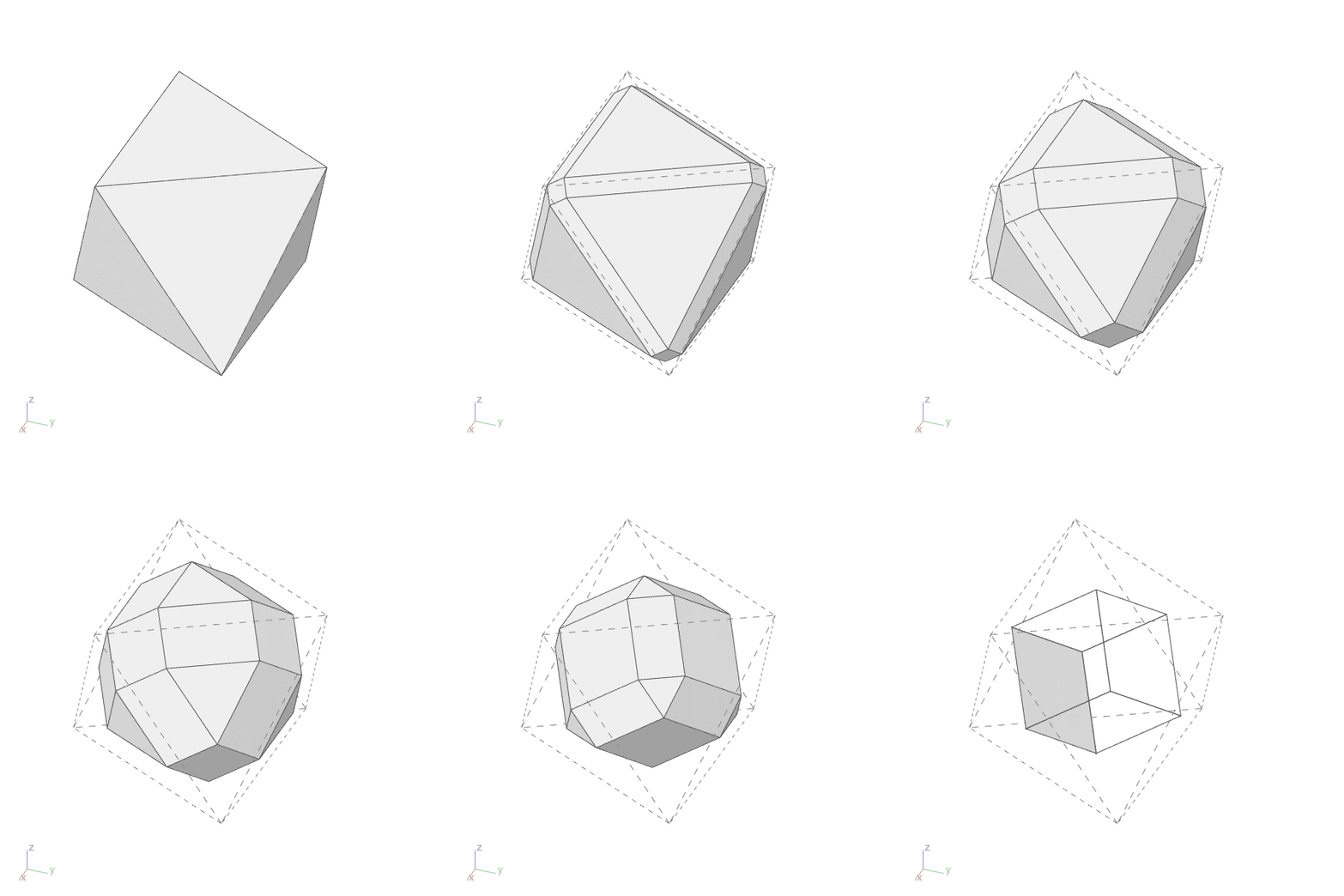
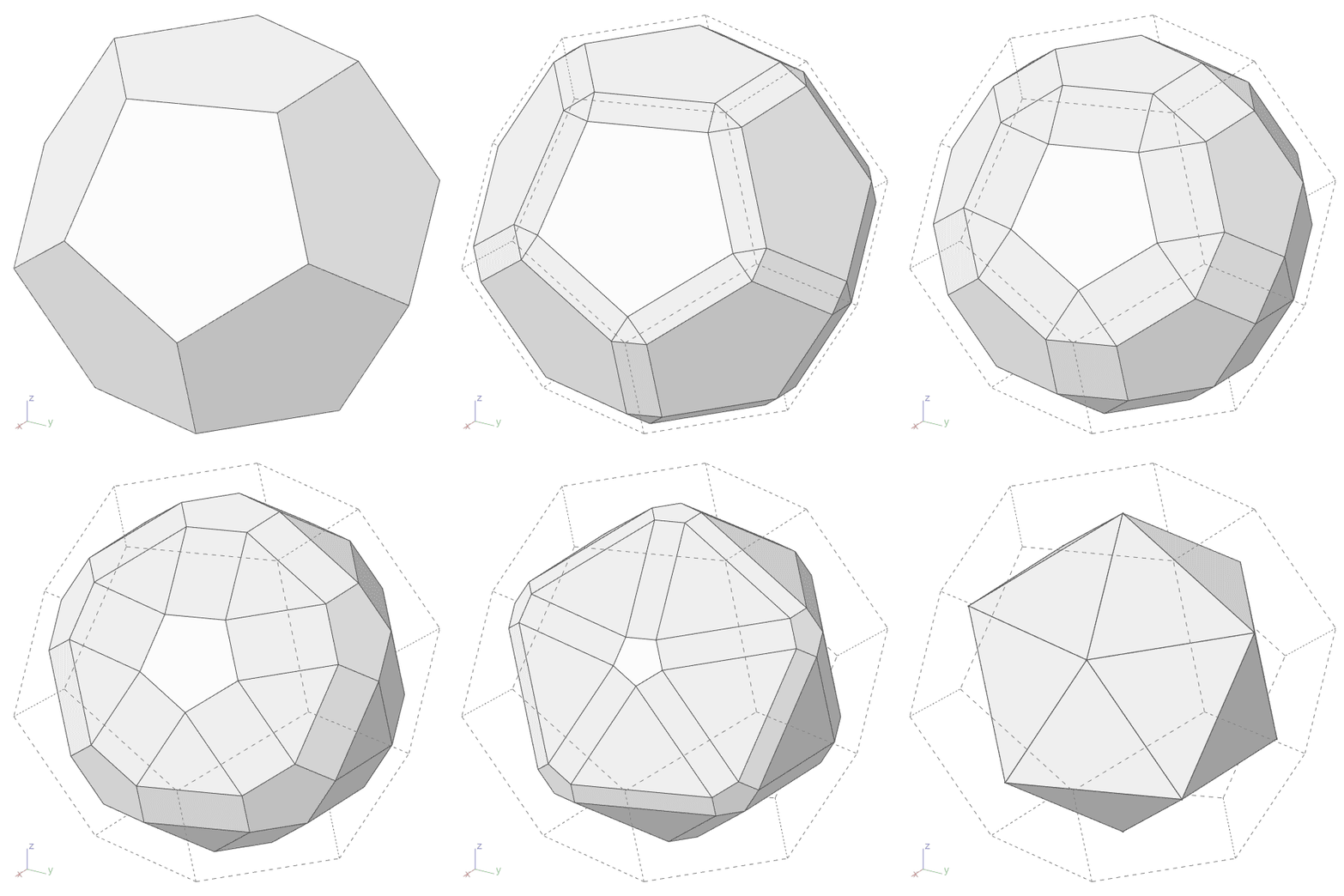
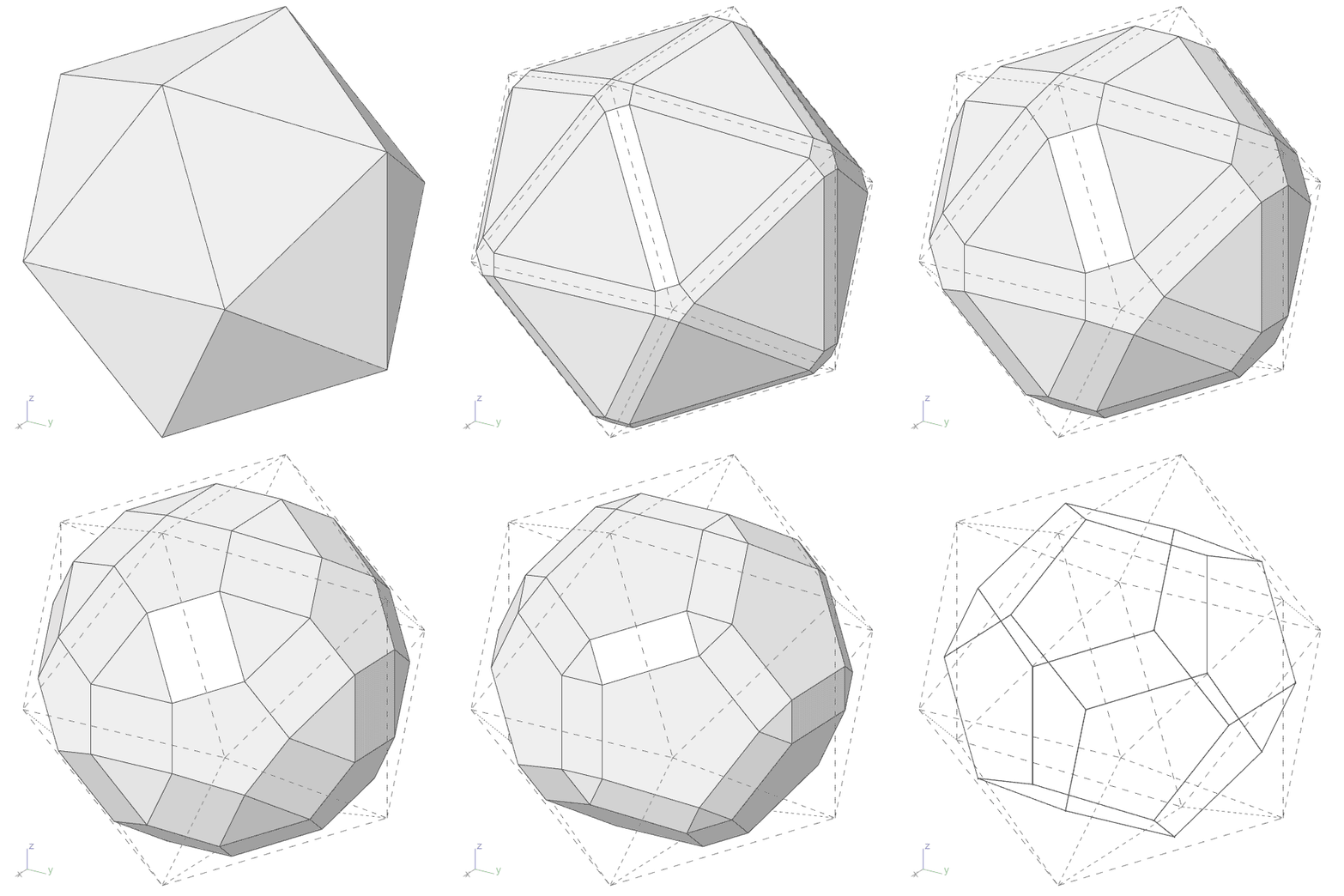
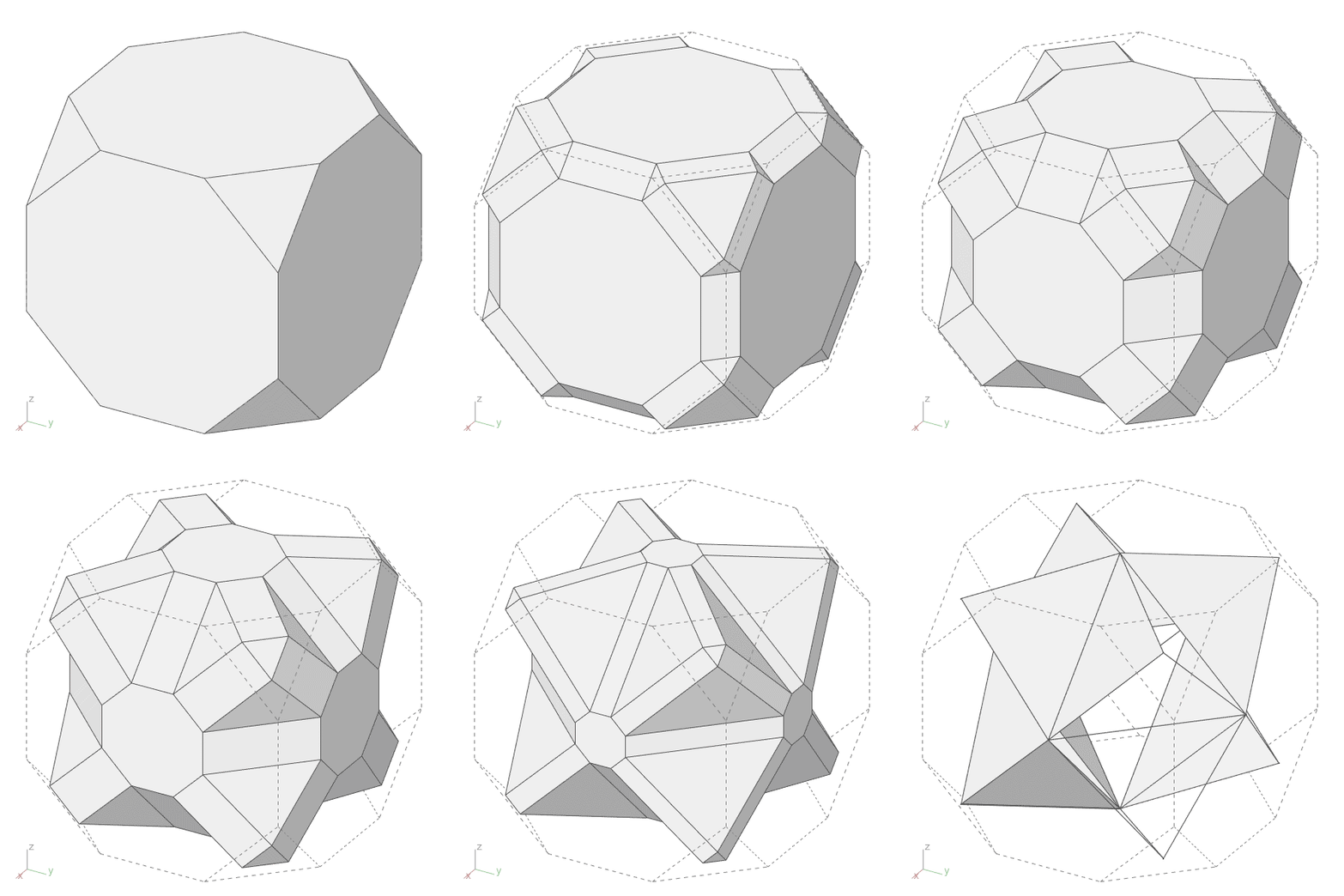
Cite this post
Related Posts
Dual Polyhedra in Grasshopper
October 7, 2025
Exploring dual polyhedra in Grasshopper is an interesting topic. In this post, I try to generate the dual of any polyhedron using Rhino Python and possibly Grasshopper. I developed this code for Rhino Python earlier here, and now I have converted it into a Grasshopper-Python component for better usability. I start the process by breaking the polyhedron into individual faces and gathering the corner points of each face. These points become the vertices of the dual polyhedron. Then, for each…
Dual Polyhedra Generator
August 3, 2017
According to Wolfram, By the duality principle, for every polyhedron, another polyhedron exists in which faces and polyhedron vertices occupy complementary locations. This polyhedron is known as the dual, or reciprocal”. We can use this method to generate new polyhedra from known ones. I tried to develop a Dual Polyhedra Generator in this Rhino Python script. First, the script asks a user to select a closed polysurface object. Then, it attempts to identify the area centroids of the faces. By…
Cairo Pentagonal Tiling
October 22, 2012
This is a late update for my 2012 study on Cairo Pentagonal Tiling (or Cairo Tessellation). Originally, it was an exercise of dual tessellations. Because this tiling is the dual of the famous semi-regular tessellation of Snub Square. After coding the Snub Square tiling, I attempted to generate the dual of it. However, that created an inefficient result. This latest version generates the original Snub Square and Cario Pentagonal Tilings. Moreover, it is possible to play with the inputs to…
Snub Square Tiling
October 22, 2012
Here is the step-by-step generation of the old Snub Square Tiling. Frankly, this is the first step in the generation of Cairo Pentagonal Tiling I generated with Grasshopper earlier. Because Cairo pentagonal is the dual of a snub square. The first step was easy. Just dispatch cells of a square grid, then evaluate them according to the ratio of 0.366 approx. which is derived from the bisector of an equilateral triangle. Now, we have a snub square tiling, composed of…
Modeling Dual of Dodecahedron
December 14, 2024
A dual polyhedron is a concept in geometry where two polyhedra are related in such a way that the vertices of one polyhedron correspond to the faces of the other, and the faces of the first polyhedron correspond to the vertices of the second. The process of creating a dual polyhedron is called duality, and it applies to many regular, semi-regular, and some irregular polyhedra. In the case of Platonic solids, the cube and octahedron are duals of each other….