
Animate Sketching of a Parametric Truss
Previous studies on the timer component were based on understanding its use. This time, I tried to implement it in a geometric design task. Moreover, manipulating the timer component to change the regular animation of parameters. Time does not have to be equally divided into sequences. Rather, new possibilities may emerge with different time flows. A simple triangulation system is developed with a potential manipulation, based on a timer. This definition is exciting and new for me because I’m not designing geometry here, rather I’m trying to manipulate the flow of time. We can set different graph inputs to slow down, speed up and stop the time, or reverse it, within a dynamic environment.
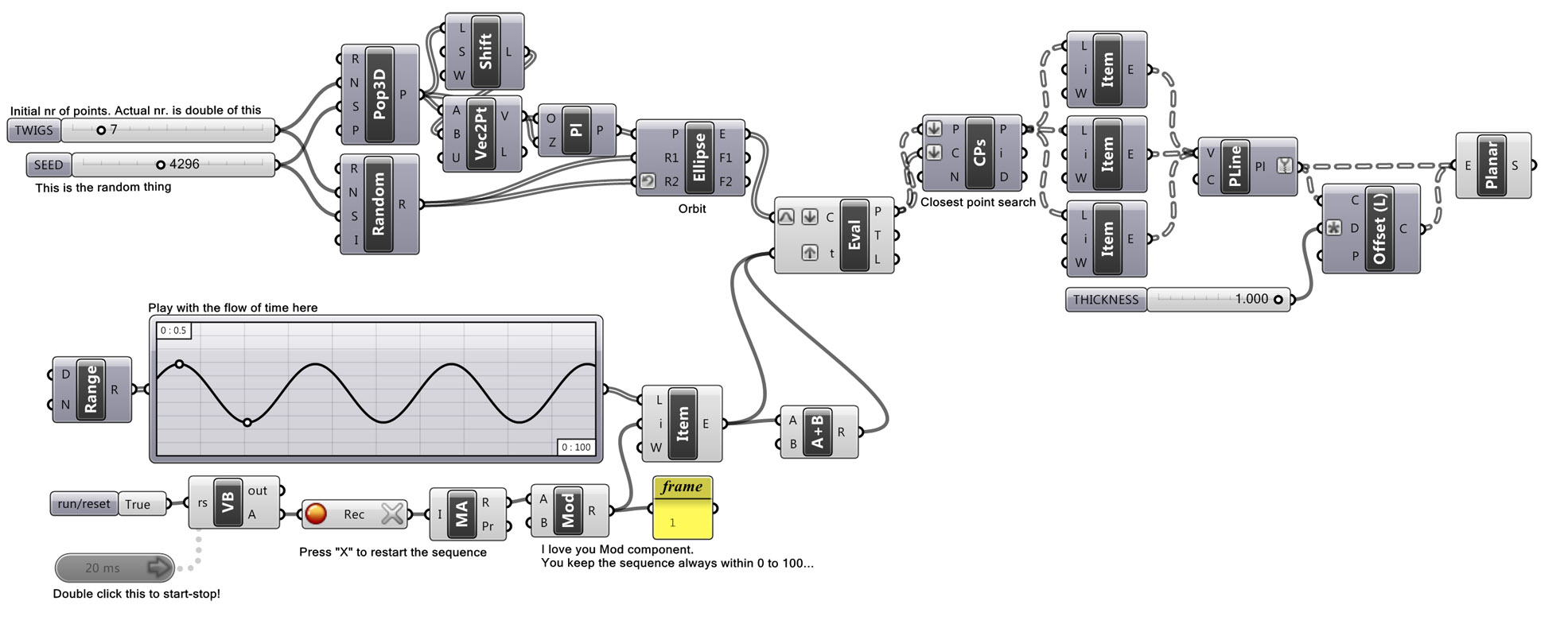
First animation shows a timer speed related to a sinus function, while the second animation is a Perlin noise function;
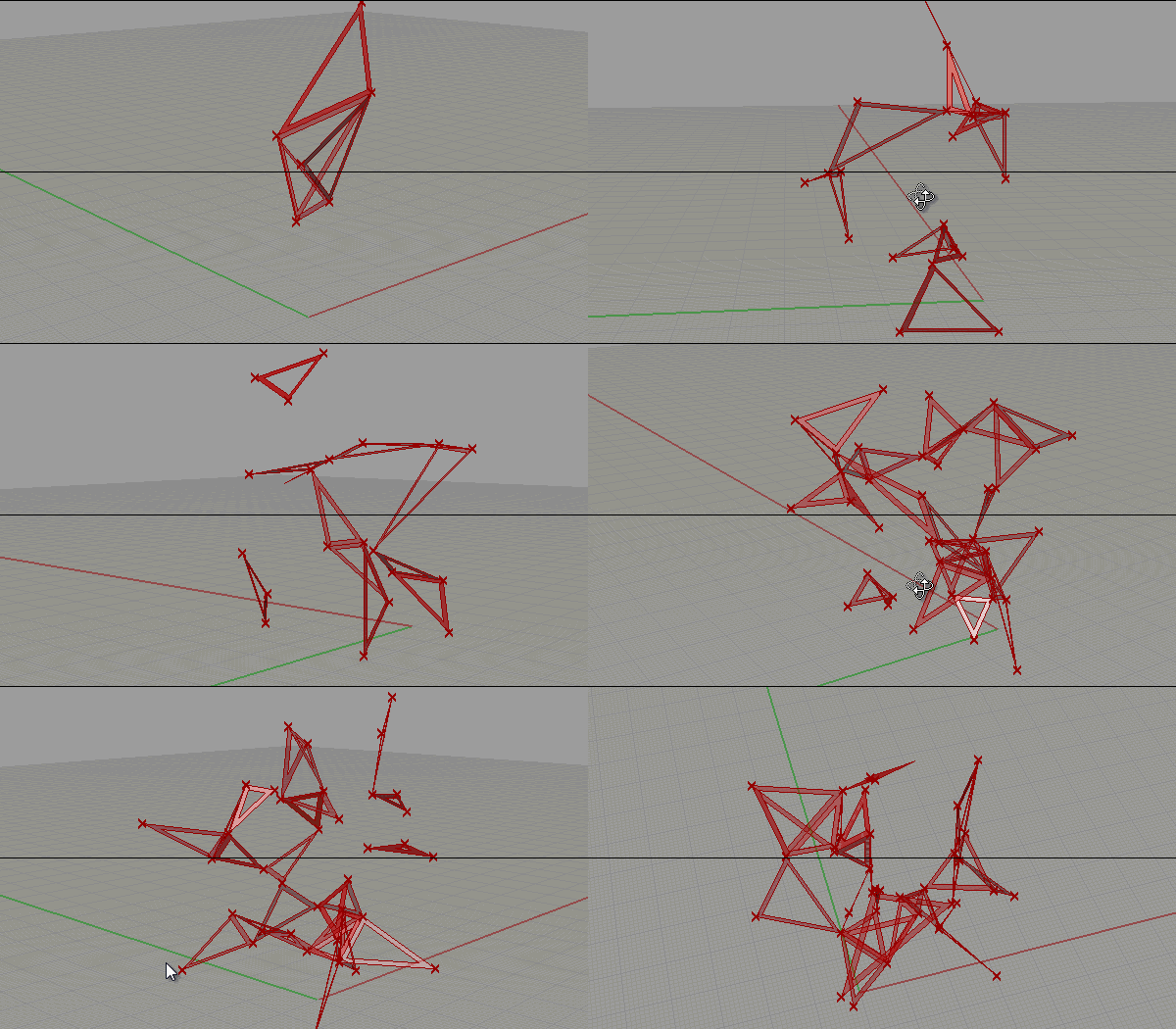
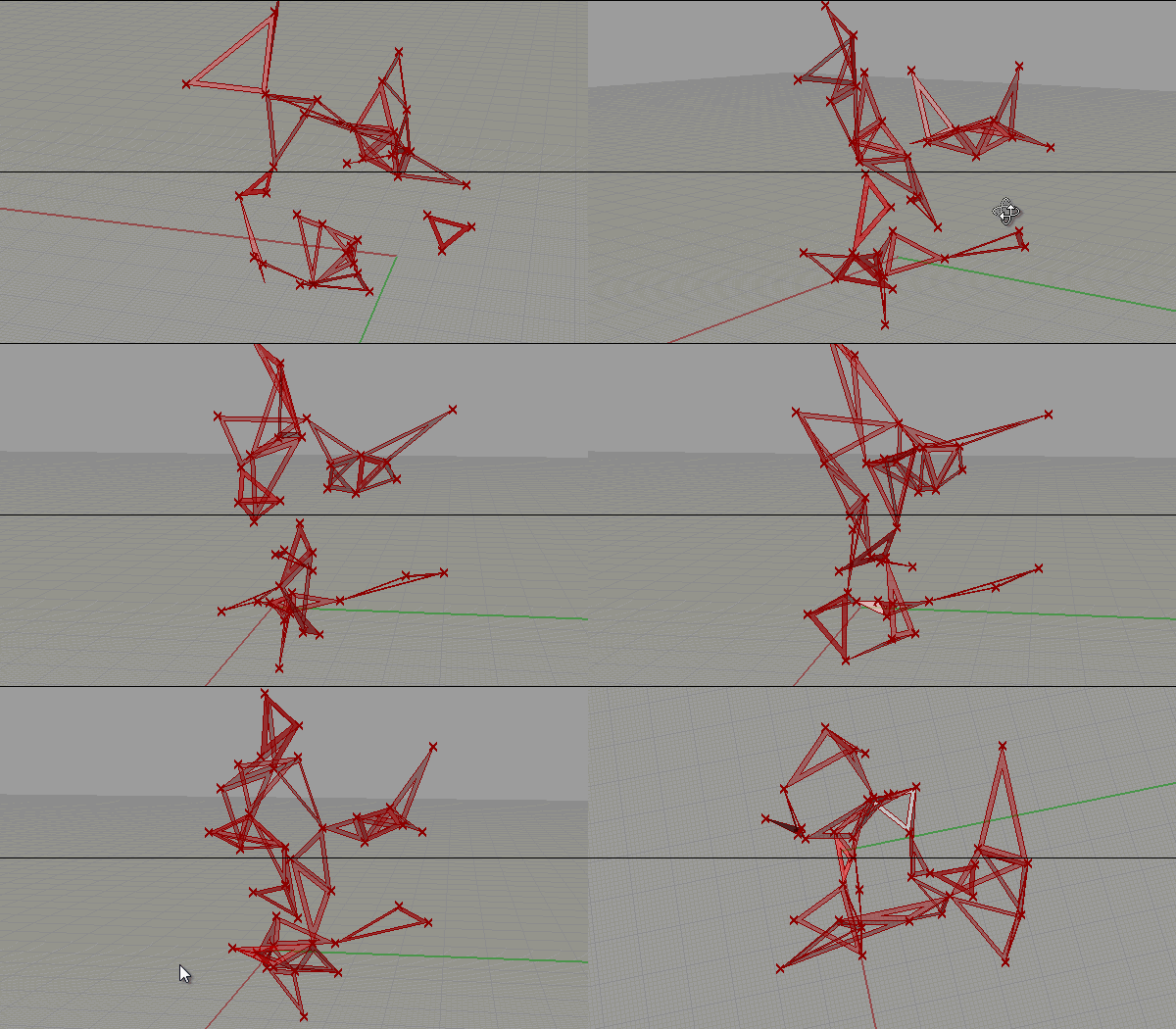
The overall look of the geometry is based on an idea by Nilüfer Kozikoğlu. A randomized method is used to create the initial truss and generates an infinite number of alternatives for a hypothetical truss system. It’s effortless to implement and fun to play with. This time the truss is not based on a subdivided reference surface, instead, it is constructed from a shortest points collection. Unlike Delaunay’s triangulation, this way seemed more exploratory and under control.
Cite this post
Related Posts
Headbanging Points
December 20, 2013
In this fun experiment, points rock and roll! It should be based on a sound input of course but this is only a test to see if I can handle a timer and graph input at the same time. I’ll modify this definition to actuate with sound. The use of the timer component gives a certain degree of randomness to the overall formation. To run this definition we need a VB script to update a certain value. The code inside of…
Karyokinesis
November 2, 2013
While searching for a way to work with random points and growing populations, this idea appeared accidentally. I wasn’t trying to mimic the behavior of Karyokinesis of biological cells (in fact I’m in serious doubt about biomimicry in general). The trick is to use a timer + data recorder + a knob for the arbitrary user input. It starts to breed when you start the timer, but to change the evolution speed, just roll the knob! Of course, the knob…
Regenerating Random Numbers
January 2, 2013
Just a quick tip as I thought might be useful in some cases. Generating random numbers in architectural scripting is not a too catchy thing for designers. It is for sure, we want every parameter to be under our control (as if it were possible!). I was thinking about that in Grasshopper. A dataflow graph such as in Grasshopper regenerates whenever necessary (a change on an input value “fires” every connected component), therefore random number component requires your action (for…
MusicXML to Grasshopper
July 20, 2012
We can model a musical composition using native Grasshopper components. After the experiments with the timer component (here and here), I managed to build a definition that allows us to produce outputs in various time intervals. I converted a small part of Bach’s Bouree in E-Minor into Grasshopper as a guitar tablature. I used Guitar Pro 5’s MusicXML export function to convert classical guitar tablature into XML data, then organized that file in Excel to suit my data tree design…
Metronome Continued
July 19, 2012
Here is today’s improvement on my metronome with the timer component, which started here. It’s straightforward to tell Grasshopper about seconds and organize it according to it. Using an interval smaller than 1 second, this small script catches every second and returns a different value. However, it’s much harder to implement smaller values than seconds. It seemed easy at first sight but getting accurate results smaller than seconds requires working with milliseconds. You can output the current millisecond’s value, but…